
Running a wholesale or business-to-business operation on WooCommerce comes with its own set of challenges.
Businesses need custom pricing, bulk ordering options, quote negotiations, and the ability to restrict access to certain products or prices.
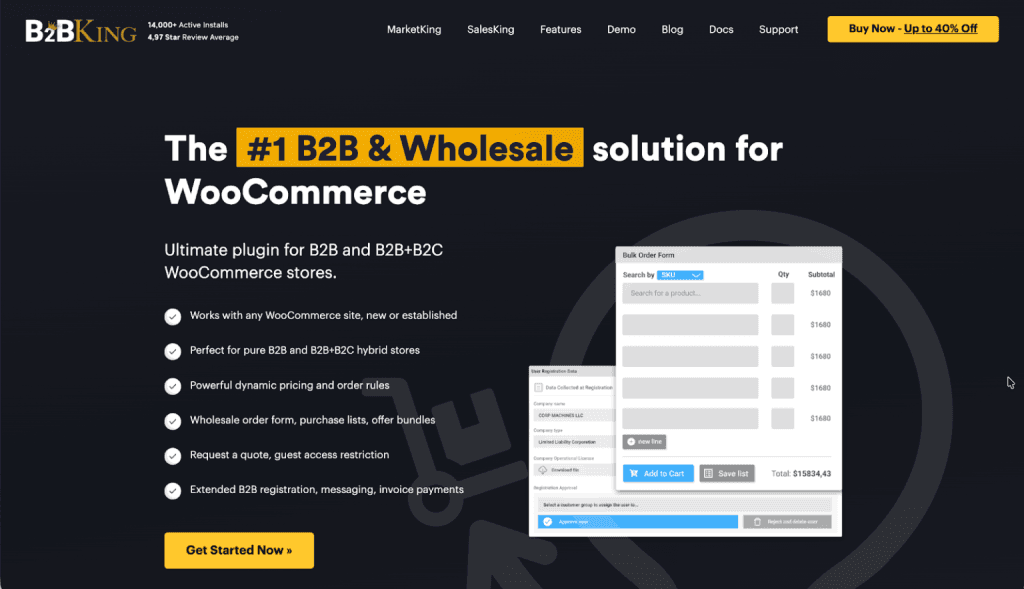
B2BKing is a WooCommerce plugin designed to address these requirements, transforming a standard online store into a platform capable of handling wholesale and business customer workflows.
Here are several ways B2BKing can help business owners handle common B2B and wholesale challenges on WooCommerce.
1. B2B Registration
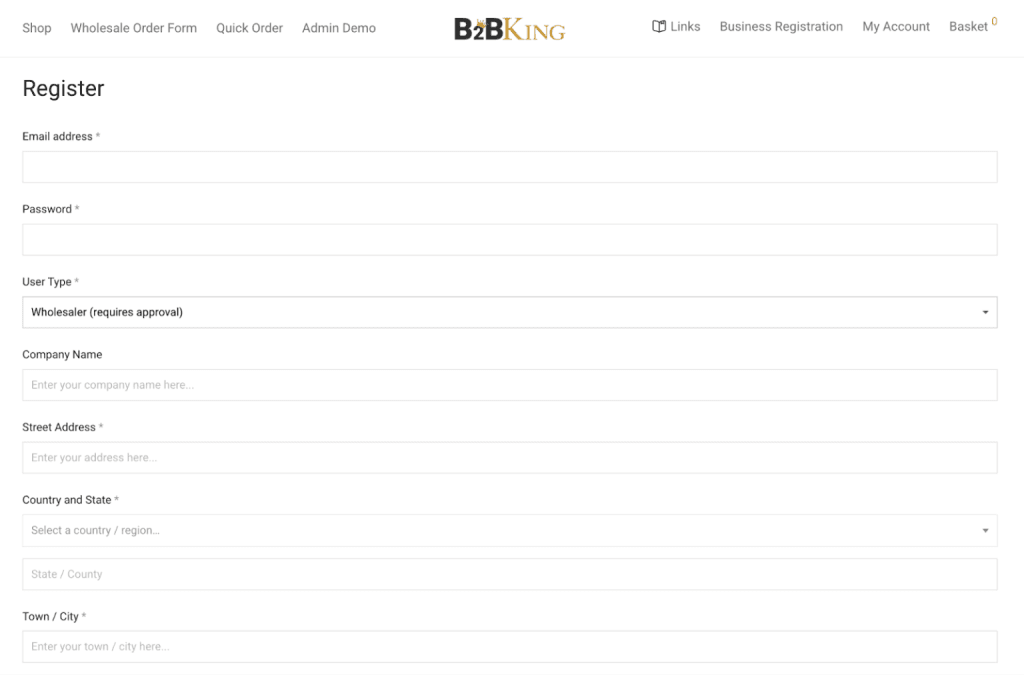
B2BKing provides a dedicated B2B registration form that collects business-specific information, such as company name, VAT number, tax ID, and business type. Store owners can create custom registration fields to gather whatever information they need to verify and categorize new business accounts.
Registration requests can be set to require manual approval, allowing store administrators to review applications before granting access.
This is particularly useful for businesses that need to verify credentials, check references, or ensure new accounts meet certain criteria before allowing them to view wholesale pricing or place orders.
The approval workflow keeps the store owner in control of who gains access to B2B features and pricing.
2. B2B and B2C Hybrid Sites
Many companies find value in operating a hybrid model in which retail customers can browse and purchase at standard prices, while approved business accounts access wholesale rates and B2B-specific features.
B2BKing supports this dual approach without requiring separate storefronts or complicated workarounds.
The plugin can be added to an existing WooCommerce store that already serves retail customers. Once activated, B2B features layer on top of the existing setup.
Retail visitors continue shopping as usual, while business customers, once registered and approved, see a different experience tailored to their needs.
This makes it straightforward for established stores to expand into wholesale without disrupting their current customer base or rebuilding their site from scratch.
3. Wholesale Order Form
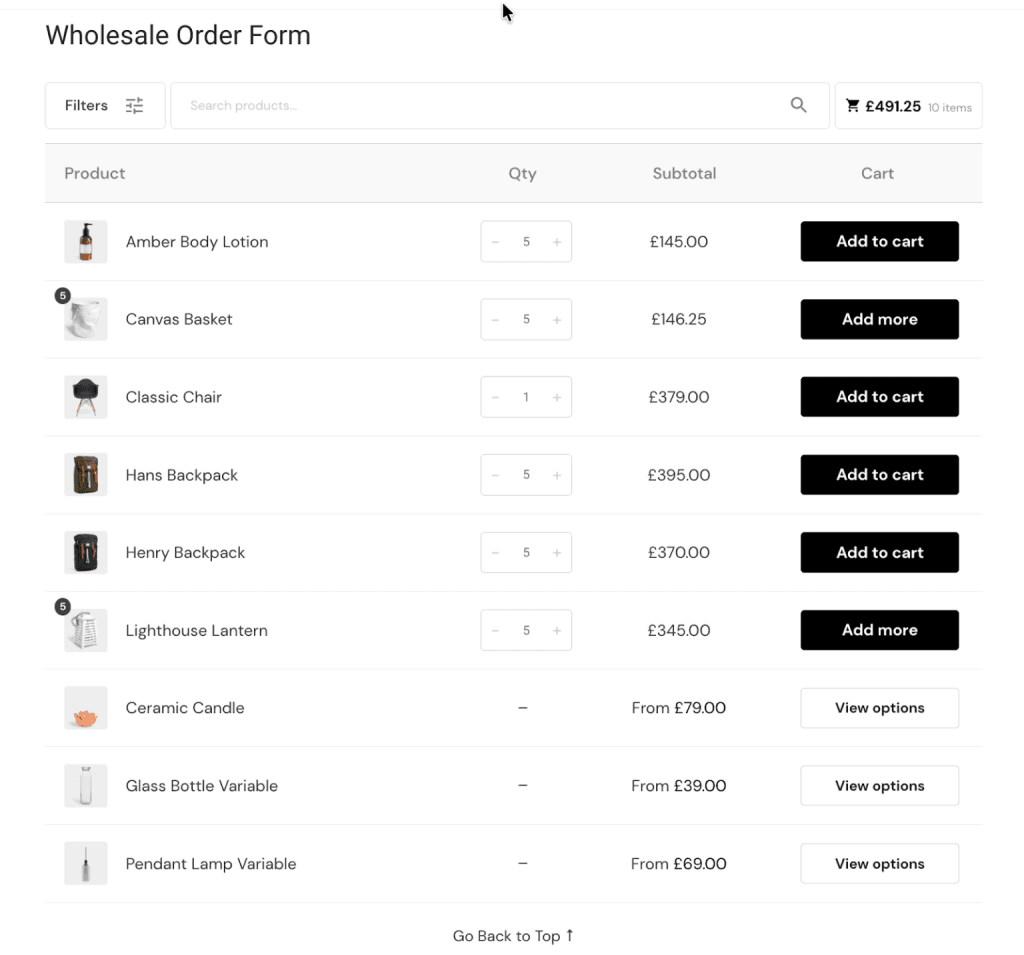
Business buyers often know exactly what they need and prefer to order quickly without browsing through product pages one at a time. The wholesale order form addresses this by presenting products in a streamlined list format.
Buyers can view multiple products on a single page, enter quantities for each item, and add everything to their shopping cart in a single action.
This approach saves considerable time compared to the standard ecommerce flow of visiting individual product pages, selecting options, and adding items separately. For repeat buyers who regularly order the same products, the efficiency gains are substantial.
The order form can be configured to show specific product categories or the entire catalog, depending on how the store owner wants to organize the purchasing experience.
4. Guest Access Restriction
Controlling what unregistered visitors can see is a common requirement for B2B stores. Some businesses prefer to hide prices entirely from logged-out users, displaying products but requiring registration to see their prices.
Others might show prices but replace the add-to-cart button with a login prompt or a request-a-quote option. B2BKing offers several approaches to guest access restriction.
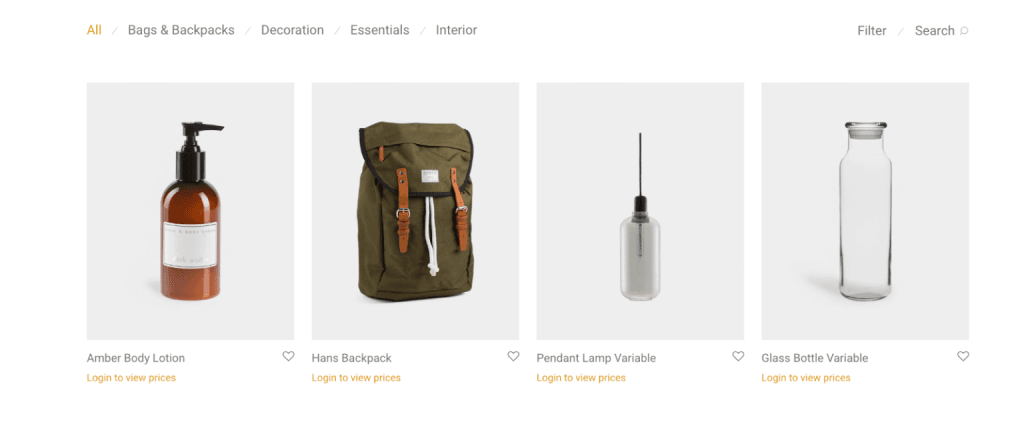
Stores can hide prices completely, showing a message prompting visitors to log in or register. Alternatively, prices can be replaced with a custom text or quote request button, encouraging potential customers to reach out directly.
The entire store can also be restricted so that only logged-in users can browse products.
These options allow store owners to match their access policies to their business model, whether that means encouraging registrations, protecting pricing information from competitors, or simply filtering out casual browsers.
5. Tiered Price Table
Volume-based pricing is standard practice in wholesale transactions. The more a customer buys, the better the per-unit price. B2BKing includes a tiered pricing feature that displays quantity-based price breaks directly on the product page.
Customers can see at a glance how much they would save by ordering larger quantities.
The tiered price table shows each quantity threshold alongside its corresponding price. This transparency helps buyers make informed decisions about order sizes and can encourage larger purchases when the savings are clearly visible.
Store owners set the tiers based on their pricing strategy, with full control over the thresholds and discounts at each level.

6. Bulk Variations Table
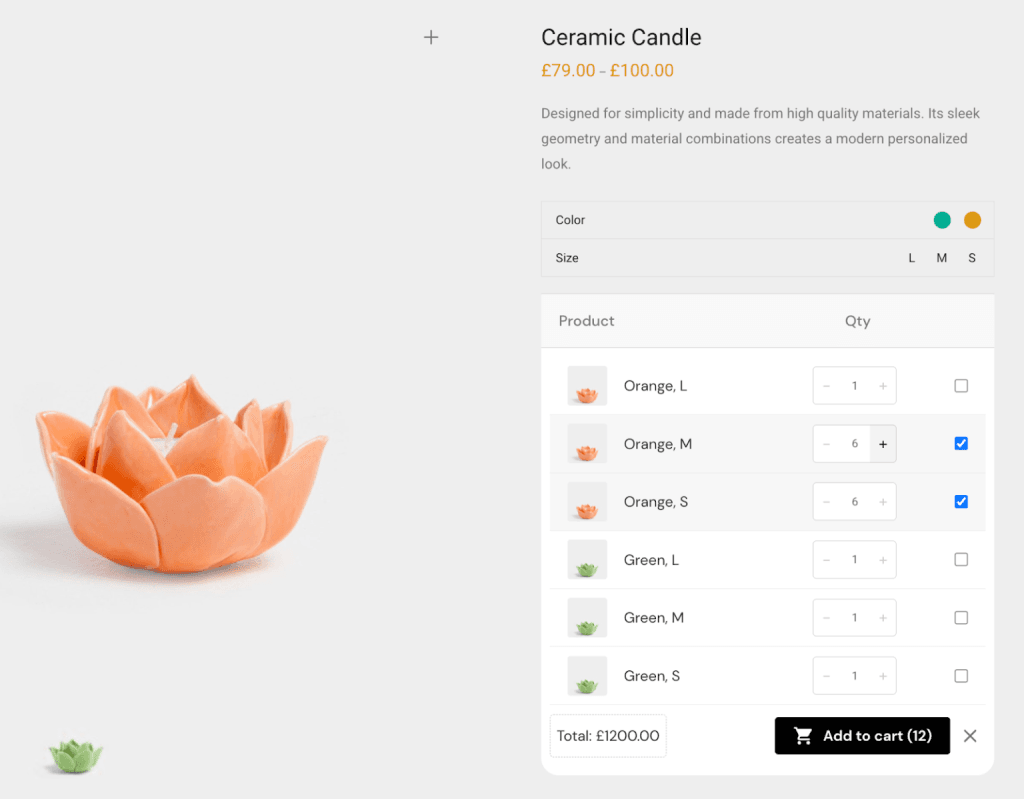
Products with multiple variations, such as clothing in different sizes and colors, present a challenge for bulk ordering. Clicking through dropdown menus to select each size and color combination individually becomes tedious when placing large orders.
The bulk variations table solves this by displaying all variations in a grid format with quantity input fields for each.
A buyer ordering t-shirts in multiple sizes can see every available size in a single view and enter quantities for each without navigating away or repeatedly changing selections.
This format is particularly valuable for apparel, footwear, and other product categories where customers typically order multiple variations in a single transaction.
7. Quote Requests and Offer Management
Not all B2B transactions proceed at listed prices. Many wholesale relationships involve negotiation, custom pricing based on order volume, or special arrangements for long-term customers.
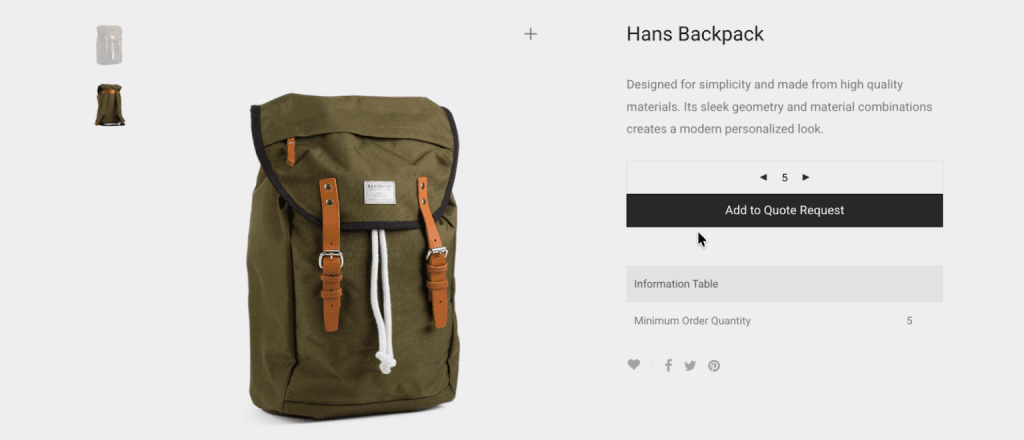
B2BKing includes a quote request system that allows customers to request pricing for products or product collections.
When a quote request comes in, store administrators can review the details and respond with a custom offer. The offer can include adjusted pricing, special terms, or any modifications appropriate to the customer and order.
Once an offer is created, it can be sent to the customer and downloaded as a PDF, providing a professional document suitable for internal approval processes or record-keeping. If the customer accepts, they can convert the offer directly into an order.
8. Customer Groups and Segmentation
Different business customers often warrant different treatment. A long-standing partner might receive better pricing than a new account. Resellers might see different products than end-user businesses.
Regional distributors might have access to inventory that others do not. Customer groups provide the mechanism for this segmentation.
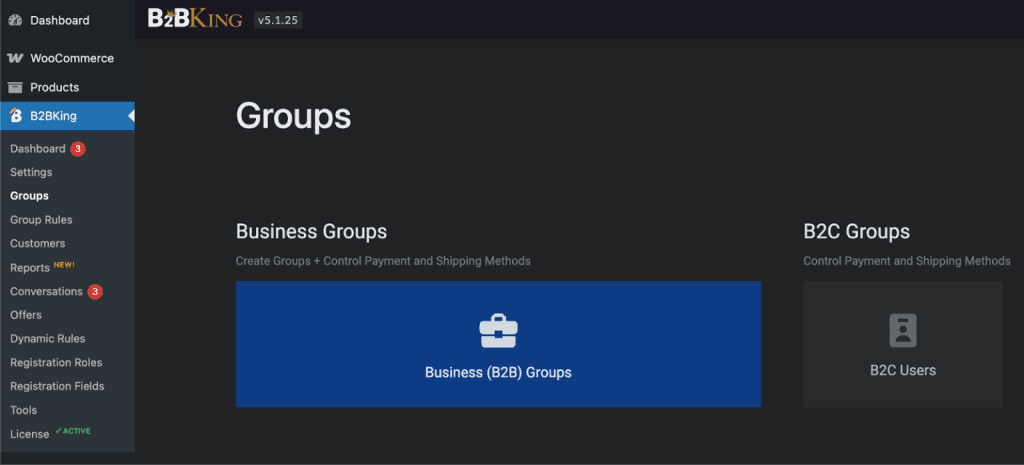
WooCommerce store owners can create multiple customer groups and assign business accounts to them. Each group can have its own pricing rules, product visibility settings, payment method availability, and shipping options.
This allows for sophisticated customer management where the experience is tailored based on the relationship, volume, location, or any other criteria the business uses to differentiate its customers. A single store can effectively serve multiple distinct customer segments with appropriate pricing and access for each.
9. Product and Page Visibility Controls
Beyond pricing differences, some businesses need to control which products different customers can even see. A manufacturer might sell certain product lines only through specific distributors. A supplier might offer exclusive items to premium accounts.
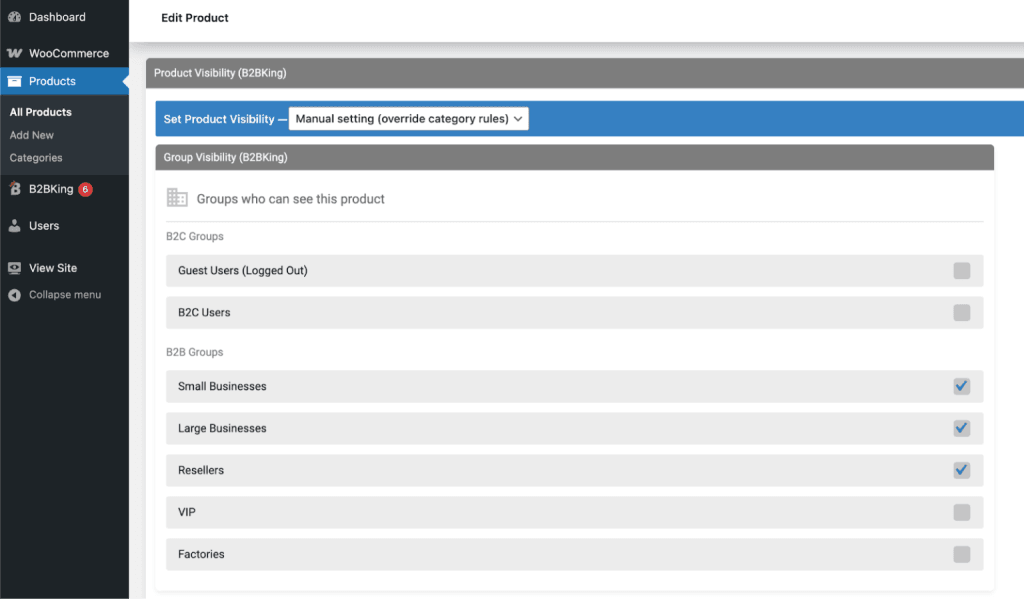
B2BKing provides visibility controls that determine which products appear to which users or groups.
Products can be hidden from specific customer groups or shown only to selected groups. This visibility control extends beyond products to entire pages, allowing store owners to create content accessible only to certain users.
The result is a store that can present a customized catalog to each customer segment, showing only the products relevant to their account type and hiding everything else.
10. Subaccounts
Business purchasing rarely involves just one person. A company might have a procurement team, multiple buyers across departments, or staff who need to place orders on behalf of the organization.
Subaccounts allow a primary business account to create additional user logins that operate under the main account.
The primary account holder can manage these subaccounts and control the permissions for each one. Some subaccounts can place orders directly, while others can only add items to the cart for approval.
This structure mirrors how purchasing works in many organizations, where different team members have different levels of authority. Orders placed by subaccounts are associated with the parent business account, keeping everything organized and consolidated.
11. Dynamic Rules Engine
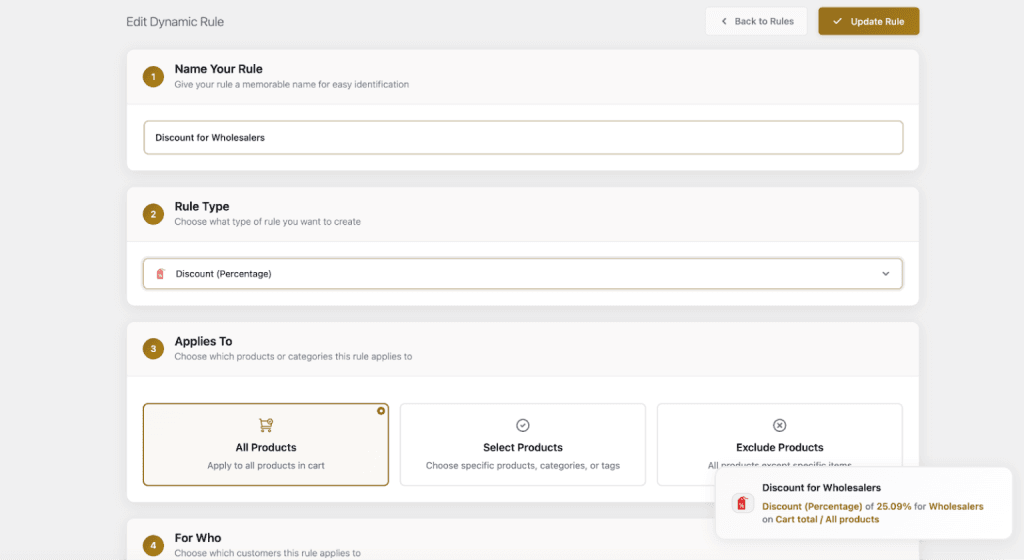
At the core of B2BKing’s flexibility is its dynamic rules engine. Rather than applying settings globally or manually configuring each product-customer combination, store owners create rules that automatically apply based on conditions.
A rule might apply a discount when order totals exceed a certain amount, restrict purchasing for customers who have not met verification requirements, or add free shipping when specific criteria are met.
The rules engine handles a wide range of scenarios. Discount rules can reduce prices by a percentage or a fixed amount based on customer group, product category, order value, or quantity.
Minimum order rules can require customers to meet a threshold before checking out, whether that threshold is a quantity or a dollar amount. Quantity step rules enforce box quantities, ensuring customers order in multiples that match how products are packed or shipped.
Tax rules can apply different tax treatments based on customer location or tax-exempt status. Shipping rules can offer free shipping when conditions are met.
The engine even supports raised prices for situations where certain customers or scenarios warrant higher pricing.
Each rule can target specific products, categories, customer groups, or combinations thereof, creating a flexible system that automates pricing and policy enforcement across the store.
12. Bringing It Together
For store owners evaluating solutions for wholesale or B2B functionality, B2BKing offers a comprehensive feature set within a single plugin for WooCommerce stores.
The combination of customer management, flexible pricing rules, quote handling, and visibility controls covers the operational needs of most B2B scenarios while integrating with the familiar WooCommerce environment. The plugin is available on the official King’s Plugins store.