

If you’re a freelancer, photographer, designer, or creative agency, your portfolio website is your online showcase.
It’s often the first thing potential clients see, and you only get one chance to make a strong impression.
The good news is you don’t need to hire a developer or spend weeks coding. With the right portfolio WordPress theme, you can build a beautiful, fast, and professional website that highlights your work and attracts clients.
A great portfolio theme should help you do three things:
With these in mind, I’ll share some of the best free and premium portfolio WordPress themes I’ve tested and found reliable.
Whether you’re a solo creative or running a full-service agency, you’ll find a theme that fits your needs.
What Makes a Great Portfolio WordPress Theme
Before selecting a theme, it’s helpful to understand what makes a good one.
A great portfolio theme isn’t just about looks; it’s about performance, flexibility, and how easily you can showcase your work without getting stuck in design details.
Here are a few key things to look for:
1. Clean and Modern Design
Your portfolio theme should draw attention to your work, not the website itself.
Search for themes with simple layouts, clean typography, and enough white space to let your images breathe. Minimal designs often perform best for creative sites.
2. Fast and SEO-Friendly
Speed matters. A slow-loading theme can deter visitors before they have a chance to view your work.
Choose themes that are lightweight and optimized for performance. Themes that focus on essential design features, not clutter or unnecessary bells and whistles.
Bonus points if they’re built with good SEO practices in mind.
3. Fully Responsive
Your portfolio needs to look great on every screen — from desktops to smartphones.
The best themes are mobile-responsive and adapt automatically to any device.
4. Easy Customization
Even if you’re not a designer, you should be able to tweak your site easily.
Look for themes compatible with page builders, such as Elementor, Beaver Builder, or the WordPress Block Editor (Gutenberg).
Drag-and-drop options make customization painless and flexible.
5. Portfolio Layout Options
A theme designed for creative work should include multiple layout choices: grid, masonry, slider, or full-screen galleries.
This allows you to organize your projects in a way that suits your style.
6. Plugin Compatibility
You’ll likely want to add features later, including contact forms, e-commerce, analytics, social sharing, and performance optimization, among others.
Pick a theme that integrates with and is compatible with popular plugins, including WPForms, WooCommerce, and Rank Math SEO.
When you combine these features, you get a theme that not only looks professional but also performs smoothly and helps you convert visitors into clients.
Now, let’s get into the complete list of the best portfolio WordPress themes of 2025.
1. Astra

If you’re looking for a fast, flexible, and beginner-friendly theme to build a portfolio site, Astra should be at the top of your list.
It’s designed for speed, versatility, and extreme customization, making it perfect for freelancers, photographers, and creative agencies that want to showcase their work without technical hassle.
Astra comes with a vast library of free and premium, ready-made portfolio starter sites that you can import with a single click.
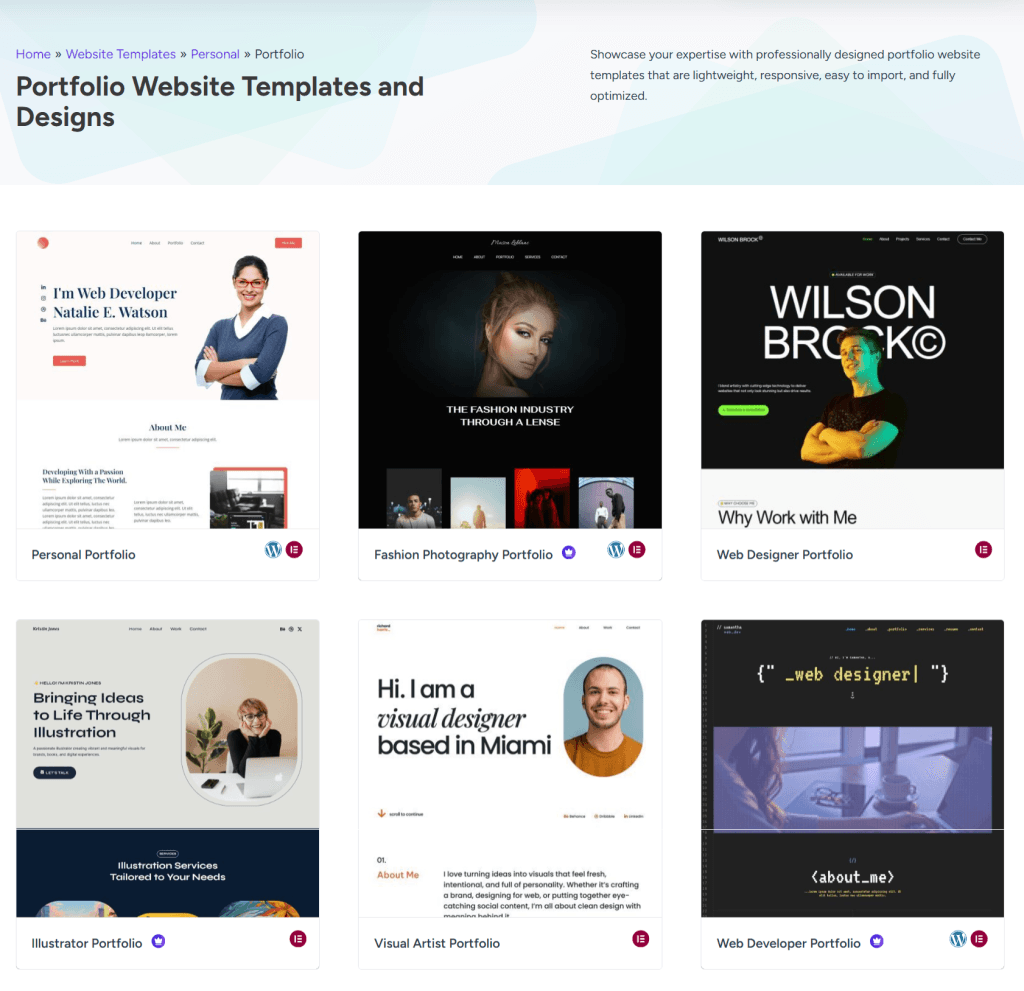
Whether you’re a designer showcasing client projects, a photographer building galleries, a video editor, or an agency highlighting case studies, there’s a template that suits your style.
Customization is simple, even if you’re new to WordPress. You can use drag-and-drop page builders to tweak every detail, such as fonts, colors, layouts, and headers, without touching code.
Astra also includes a powerful header and footer builder, blog pro module, and the Site Builder for custom design, giving you total control over how your site looks.
Performance-wise, Astra is incredibly lightweight, typically under 50KB. It’s built to load in under a second, helping your site feel smooth even with image-heavy portfolios.
Plus, it’s fully SEO-friendly, featuring built-in capabilities such as font preloading, loading Google Fonts locally, inline CSS and JS, and support for schema markup.
If you want a theme that’s easy to manage, visually appealing, and built to convert visitors into clients, Astra is an excellent choice.
Astra Top Features
- Loads in under 0.5 seconds — perfect for performance-focused creatives.
- An extensive library of pre-designed portfolio demo templates.
- Compatible with most page builders, including Elementor, Spectra, and Gutenberg.
- Built-in header and footer builder.
- WooCommerce-ready and SEO-optimized.
- Create custom layouts and pages with Site Builder.
- Customize global website design from a centralized interface (Style guide).
Pros
- Lightweight, flexible, and beginner-friendly.
- Highly customizable with page builders.
- Great support and community.
- Regular updates with new features and bug fixes.
Cons
- Premium starter templates required the Essential or Business license.
2. Divi
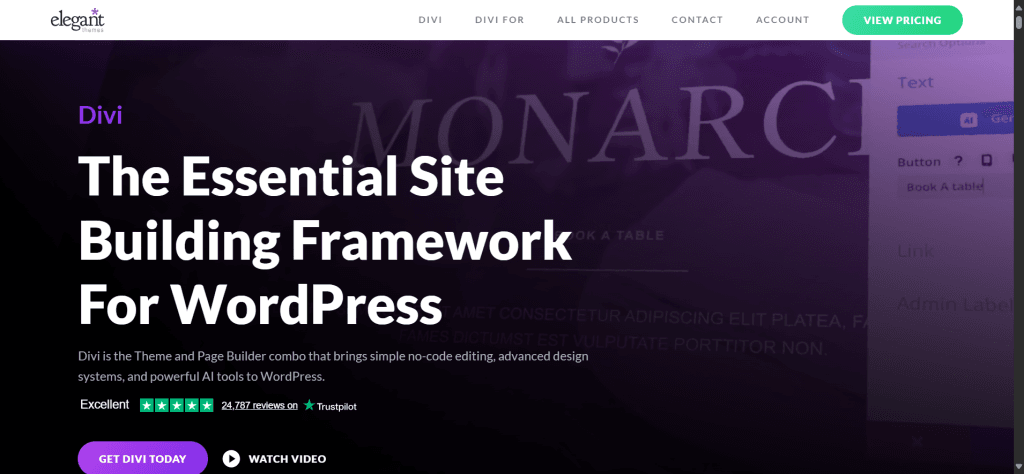
If you want a visually stunning portfolio website and total control over your design, Divi is a solid pick. It’s built for creatives who want their work to stand out, whether you’re a designer, an artist, a photographer, or an agency owner.
Divi utilises a front-end visual builder, allowing you to design your site by dragging and dropping elements directly on the page and instantly previewing the results. No guesswork, no coding.
The Divi portfolio module, which integrates seamlessly with native WordPress project functionality, enables you to create eye-catching visuals and display your portfolio more effectively. You can start with one of the hundreds of portfolio layouts included in the Divi Library or build your own from scratch.
Watch the Divi portfolio module in this 6-minute demo video.
Each element is customizable, from image galleries and grids to typography, colors, and animations. You can even create scroll effects, parallax backgrounds, and hover transitions to give your portfolio site a more interactive feel.
Divi also includes built-in A/B testing tools that help agencies and freelancers test which layouts, elements, or call-to-action buttons bring in more client inquiries.
It’s fully responsive, SEO-friendly, and integrates smoothly with WooCommerce for creatives who want to sell prints, digital art, or design services online.
If you’re serious about building a high-end, modern portfolio site that reflects your creativity and brand identity, Divi offers everything in one powerful package.
Divi Top Features
- Visual drag-and-drop builder with real-time front-end editing.
- 2,000+ layout packs, including creative portfolio designs.
- Responsive editing tools and custom animations.
- Built-in split testing for conversions.
- Seamless WooCommerce integration.
Pros
- Extremely customizable with stunning visuals.
- Huge library of templates for creatives.
- Great value for agencies and professionals.
- Made for advanced web designers.
- Annual and lifetime plan.
Cons
- Slight learning curve.
- Lots of design features can make it heavier.
3. KadenceWP

KadenceWP is a modern, high-performance portfolio theme that’s easy to customize. It’s lightweight, fast, and designed for creatives who value design flexibility and speed.
Whether you’re a web designer, digital artist, or agency, Kadence gives you the tools to showcase your work beautifully without needing advanced tech skills.
Kadence stands out for its clean design and its ability to adapt to a wide range of portfolios. You can start with one of its pre-built portfolio templates or use its advanced Kadence Block Pro and the Design Library to create a layout that fits your brand.
The Kadence Block and the Design Library are two of the standout features. Both features enable you to create stunning visual designs and layouts with advanced customisation and controls.
You can customize colors, spacing, layouts, typography, and other elements globally to maintain consistency throughout your design.
Undoubtedly, Kadence is among the fastest WordPress themes available. It’s built to modern coding standards, keeping your site lightweight even with a large number of images or videos.
For agencies and freelancers who want to sell digital products or creative services, Kadence integrates seamlessly with WooCommerce, allowing you to turn your portfolio site into a full-fledged e-commerce site.
KadenceWP Top Features
- Lightweight and built for high performance.
- Drag-and-drop header and footer builder.
- Global typography and color settings for consistent branding.
- Works with Gutenberg and Elementor page builders.
- WooCommerce-ready with custom shop layouts.
- SEO-optimized structure.
- Kadence Block Pro for advanced customization.
Pros
- Extremely fast and well-coded.
- Simple customization for beginners.
- Great for freelancers and agencies alike.
- The free theme has many advanced features.
Cons
- Fewer starter templates than Astra or Divi.
- Some advanced design options are only available with the Pro version.
4. Oshine
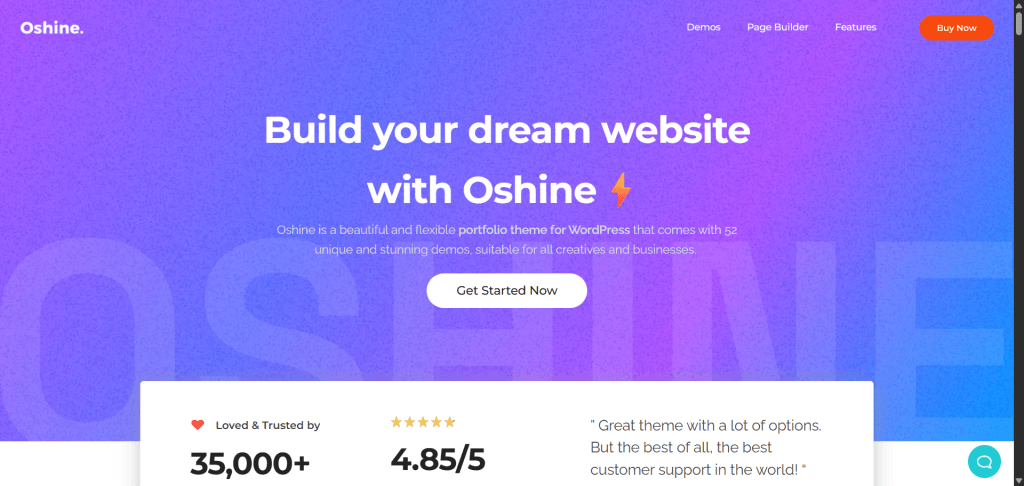
Oshine is one of the most popular and visually striking WordPress themes designed for creative professionals. Whether you’re a designer, photographer, digital artist, or marketing team, Oshine helps you build a portfolio that feels premium and highly polished.
It comes with over 50 stunning demos that you can import with one click, many of which are tailored for portfolio, photography, and agency websites.
What sets Oshine apart is its clean aesthetics and versatile layouts that make your work the star of the show. You can choose between full-screen sliders, masonry grids, parallax backgrounds, or minimal layouts depending on your style.
The built-in Tatsu front-end page builder is another highlight. It’s fast, visual, comes with over 50 styling modules, a live editor, and is intuitive, letting you design pages in real time without writing code.
Oshine is optimized for speed and works smoothly with popular plugins like WooCommerce, WPML, and Contact Form 7.
Whether you want to showcase a simple portfolio or launch a creative agency site with eCommerce features, Oshine adapts easily. It’s also responsive and retina-ready, ensuring your portfolio looks perfect on any device.
If you want a flexible, stylish, and proven theme with a solid track record (used by 35,000+ customers), Oshine is one you can confidently build your creative brand on.
Oshine Top Features:
- 50+ pre-built demos for different creative niches
- Tatsu front-end visual page builder
- Multiple portfolio layouts and hover styles
- Smooth animation and parallax scrolling effects
- WooCommerce integration for selling creative work
- Optimized for SEO and mobile performance
Pros:
- Extremely flexible design options
- High-quality demos for portfolio and agency use
- Includes its own intuitive drag-and-drop builder
- Excellent customer support and documentation
Cons:
- Slightly larger file size due to many built-in features
- Beginners may need time to explore all customization options
5. Kalium
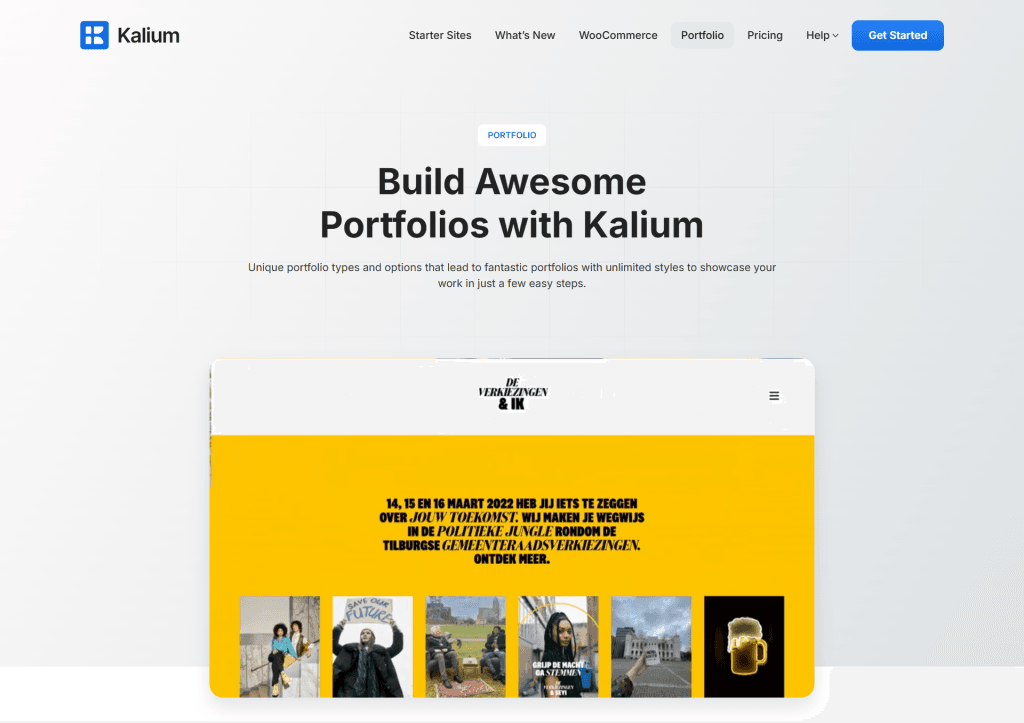
Kalium is a refined, creative WordPress theme designed to showcase portfolios with elegance and simplicity. It’s ideal for designers, freelancers, architects, photographers, artists, and other creatives who want a professional, visually appealing online presence.
Kalium focuses on clean design, strong typography, and smooth visual effects that make your work stand out without unnecessary clutter.
What I like most about Kalium is how effortless it feels to build a unique portfolio layout. It comes with multiple ready-to-use demos—from minimalist, dark-themed designs to more vibrant, image-heavy layouts.
You can import any demo with one click and customize it using the built-in WPBakery Page Builder or the newer Gutenberg editor.
Kalium also integrates seamlessly with WooCommerce, allowing you to sell digital art, prints, or creative services directly from your site.
The theme supports high-resolution images, video backgrounds, and even custom hover animations, giving your portfolio a cinematic touch. Under the hood, it’s optimized for speed and SEO, ensuring your site loads fast and ranks better.
If your goal is to create a visually driven website that highlights creativity while maintaining a smooth browsing experience, Kalium checks all the boxes.
Kalium Top Features:
- One-click demo import with 25+ portfolio demos
- WPBakery and Gutenberg support
- Advanced typography and custom fonts
- Before/After module to show your project progress.
- Built-in lazy loading and performance optimization
- Translation and RTL ready
- Smart category and sub-category filter.
Pros:
- Clean, elegant portfolio presentation
- Plenty of design flexibility for creatives
- Compatible with major page builders
- Fast performance and SEO-friendly structure
Cons:
- Limited header style customization compared to multipurpose themes
- WPBakery builder can feel dated compared to newer builders
6. Uncode
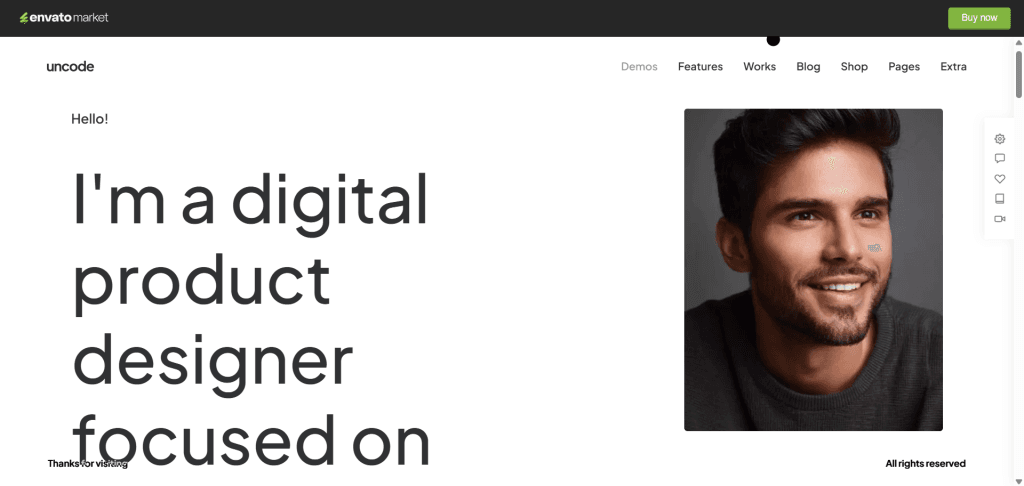
Uncode is a high-quality, multipurpose WordPress theme built with creativity in mind. It’s perfect for professionals who want a visually stunning portfolio site that feels modern and sophisticated.
Whether you’re a freelancer, photographer, or creative agency, Uncode helps you present your work with exceptional polish and attention to detail.
The theme includes 70+ beautifully designed demos, many of which are dedicated to portfolio and creative showcase sites. Each demo can be imported in a single click, saving you hours of design time.
What stands out about Uncode is its pixel-perfect design and flexibility. You can customize every section using the tailored version of WPBakery Page Builder and the powerful Uncode Content Block system.
Uncode’s adaptive images system automatically resizes and optimizes visuals for every device, which is a huge plus for portfolio sites where images play a central role.
It also integrates seamlessly with WooCommerce, so you can sell artwork, designs, or photography prints directly from your site.
Performance is another strong suit. It’s built to load quickly, improve SEO, and ensure mobile responsiveness.
If you’re after a premium portfolio theme that combines design precision with advanced customization control, Uncode is worth your attention.
Unicode Top Features:
- 70+ pre-built demos and one-click import
- Advanced adaptive image system
- Tailored WPBakery Page Builder with live editing
- Powerful grid and media layout options
- WooCommerce and WPML are compatible
- Performance and SEO optimized
Pros:
- Highly customizable and visually stunning
- Professional-grade image handling
- Excellent demo selection for creatives and agencies
- Strong performance and responsive design
Cons:
- Learning curve for beginners due to feature depth
- WPBakery builder isn’t as modern as some alternatives
7. Salient
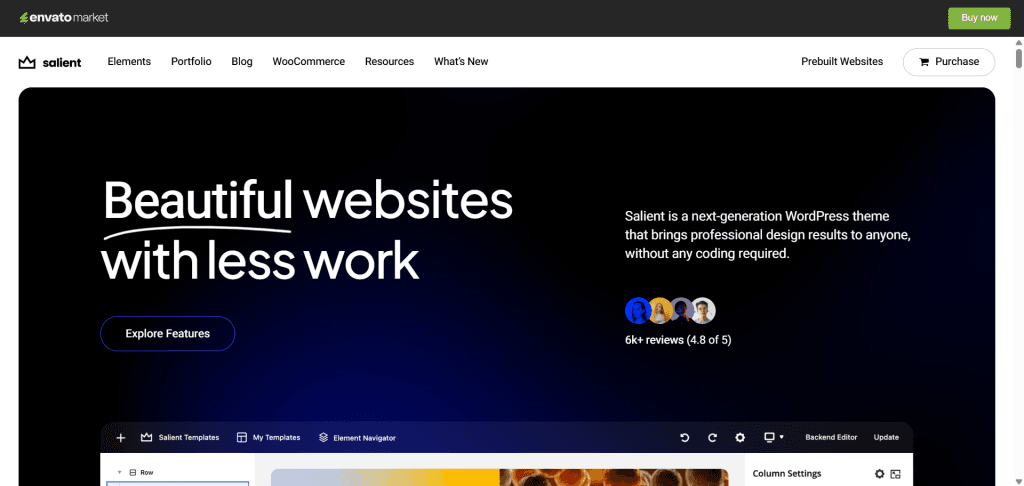
Salient is another visually powerful, feature-rich WordPress theme made for creatives, sold with an Envato subscription. It’s perfect for freelancers, photographers, videographers, and agencies who want to make an unforgettable first impression with their portfolio.
Salient is built to turn your creative work into a fully immersive experience using modern animations, bold typography, and clean layouts.
What makes Salient special is its in-house Salient Studio and Nectar Page Builder — a drag-and-drop visual builder packed with hundreds of reusable elements.
You can design beautiful portfolio pages with video backgrounds, parallax effects, and smooth scroll animations without writing a single line of code.
The theme comes with 400+ pre-designed templates and multiple portfolio layouts — from classic grids to full-screen sliders and masonry styles.
It’s also optimized for fast loading, and retina displays, ensuring your visuals look crisp on every device.
Salient integrates deeply with WooCommerce, so you can easily showcase and sell your creative products, services, or digital assets.
Plus, its SEO-friendly coding, lazy loading, and adaptive image resizing help keep your site fast and Google-friendly.
If you’re aiming for a professional yet artistic presentation of your work, Salient delivers the perfect balance of design control and creative freedom.
Salient Top Features:
- 400+ ready-made templates and multiple portfolio layouts
- Built-in Nectar Page Builder (custom version of WPBakery)
- Stunning animations and parallax effects
- WooCommerce, WPML, and RTL support
- Adaptive image resizing and lazy loading
- Fully responsive and retina-ready
Pros:
- Gorgeous visual effects and animations
- Intuitive drag-and-drop builder with deep customization
- Perfect for portfolio-heavy websites
- Reliable performance and long-term theme updates
Cons:
- It can feel overwhelming due to the large number of features
- Learning curve for first-time users
8. Soledad
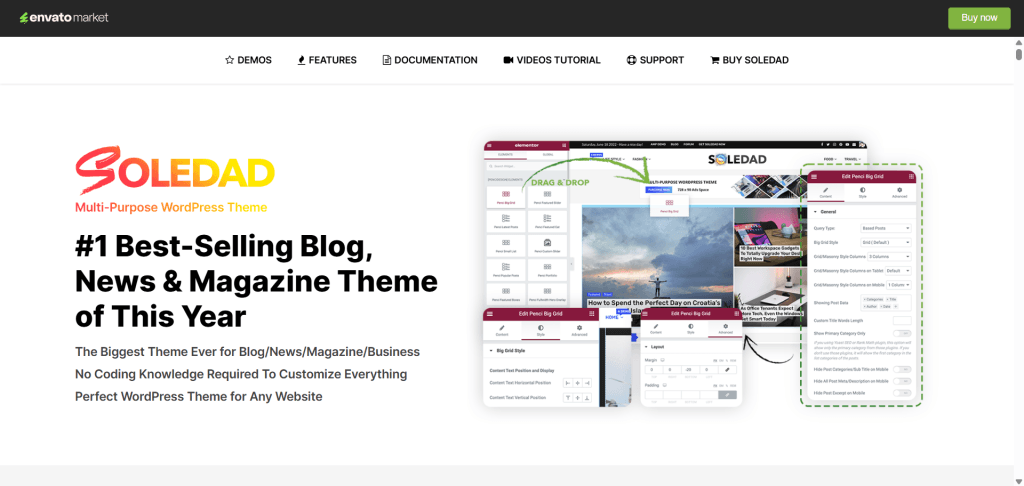
Soledad is a flexible, powerful, multipurpose WordPress theme that’s surprisingly well-suited for creative portfolios.
While it’s often known for its magazine and blog demos, it also includes several professionally designed portfolio layouts that work beautifully for designers, photographers, and agencies who want a clean, content-first design.
The strength of Soledad lies in its massive library of over 6,000+ demo templates, giving you nearly unlimited design flexibility.
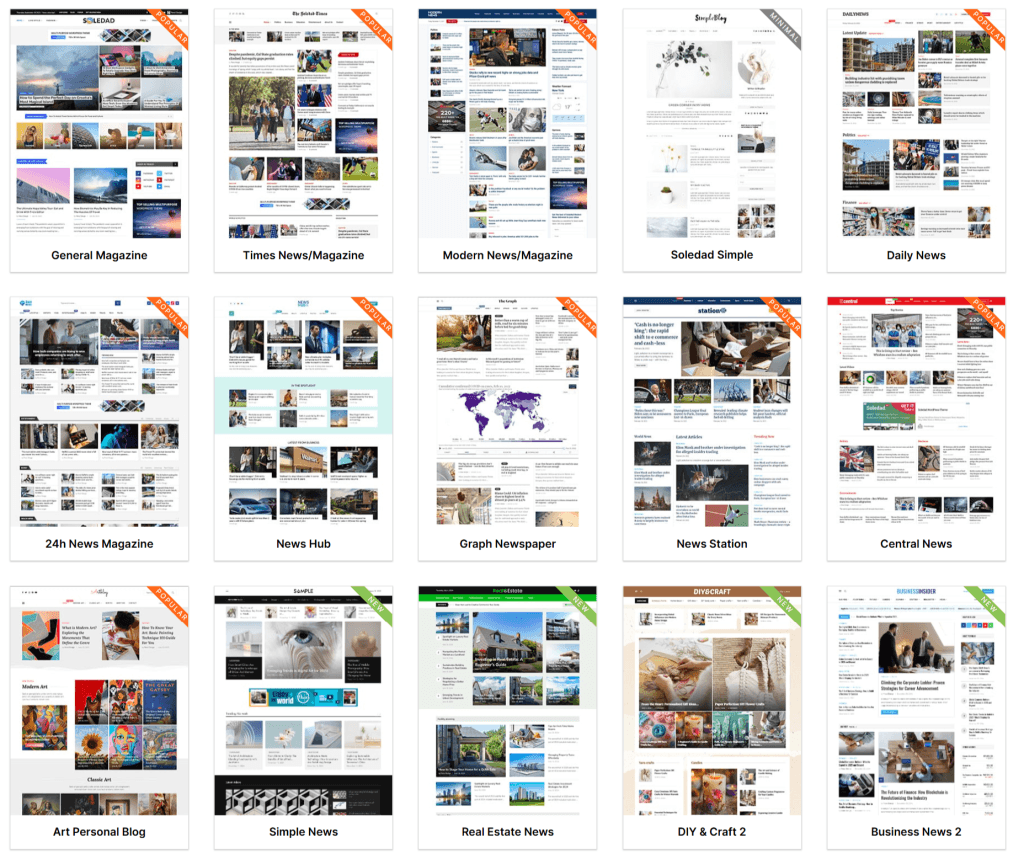
You can start with a ready-made portfolio demo or blend design elements from different demos to create something unique.
It’s built to work seamlessly with Elementor and WPBakery, giving you full visual control without needing coding skills.
What stands out most is Soledad’s smooth performance despite its large feature set. It’s lightweight, fast-loading, and helps improve Core Web Vitals, which is rare for such a feature-packed theme.
You can customize layouts, typography, colours, and even header styles directly in the WordPress Customizer with a real-time preview.
If you want a portfolio theme that gives you maximum creative control and the ability to expand into blogging, eCommerce, or even magazine-style layouts later, Soledad offers unmatched versatility.
Soledad Top Features:
- 6,000+ demo templates (including portfolio-focused designs)
- Full compatibility with Elementor and WPBakery
- Live customization with WordPress Customizer
- Lightweight and optimized for Core Web Vitals
- WooCommerce integration
- Multiple gallery, slider, and video post options
Pros:
- Extremely flexible and customizable
- Great balance between design options and speed
- Works well for portfolios, blogs, or hybrid websites
- Seamless integration with Elementor
Cons:
- The sheer number of options can feel overwhelming
- Slightly steeper learning curve for total beginners
9. Inspiro
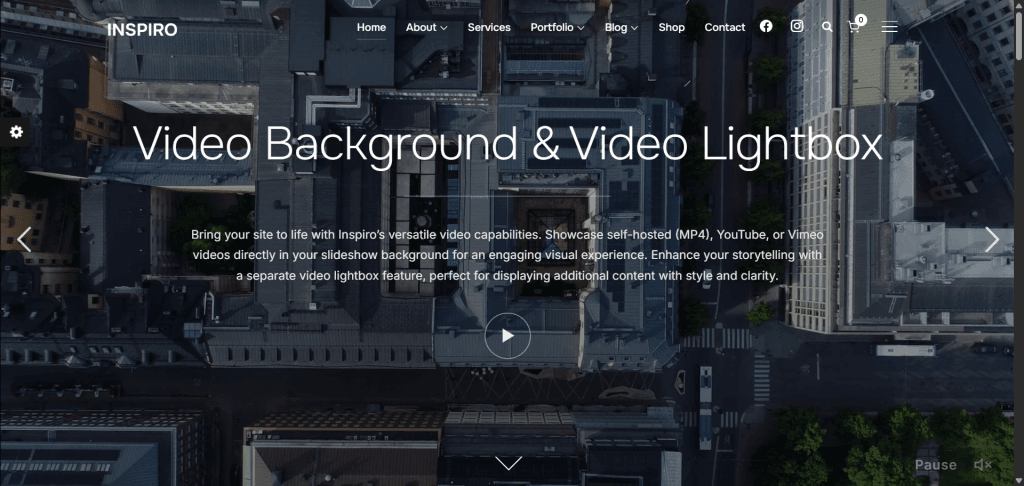
Inspiro is a beautifully designed WordPress theme created by WPZoom. It is suitable for photographers, videographers, and creative professionals who want to showcase their visual work in a bold, modern way.
It’s a perfect fit for anyone looking to create a portfolio that uses large imagery and video backgrounds to make a strong first impression.
The theme offers a clean, minimalist layout that directs attention straight to your content.
With Inspiro, you can easily showcase photos, videos, and client projects using full-screen sliders, lightbox galleries, or custom portfolio grids.
One standout feature is its video background and video autoplay support — whether your work is hosted on YouTube, Vimeo, or self-hosted, it integrates seamlessly into your site’s design.
Inspiro is also fully compatible with popular page builders like Elementor and Beaver Builder, giving you the flexibility to design unique portfolio pages without coding.
The theme is fast, lightweight, and optimized for SEO, ensuring your site performs well even with image-heavy content.
It’s available in both free and premium versions, making it a great option whether you’re just starting or running a full-scale creative agency.
The Pro version adds advanced features like video portfolio modules, WooCommerce support, and dynamic homepage layouts.
Inspiro Top Features:
- Fullscreen video and image background support
- Compatible with Elementor and Beaver Builder
- Responsive, retina-ready design
- WooCommerce integration for selling creative work
- Fast-loading and SEO-friendly
- Portfolio and gallery module for visual storytelling
Pros:
- Clean, professional design that highlights visuals
- Excellent video background and lightbox gallery features
- Works great with Elementor
- Option to start free and upgrade later
Cons:
- Limited customization in the free version
- Not ideal for text-heavy portfolio sites
10. GeneratePress
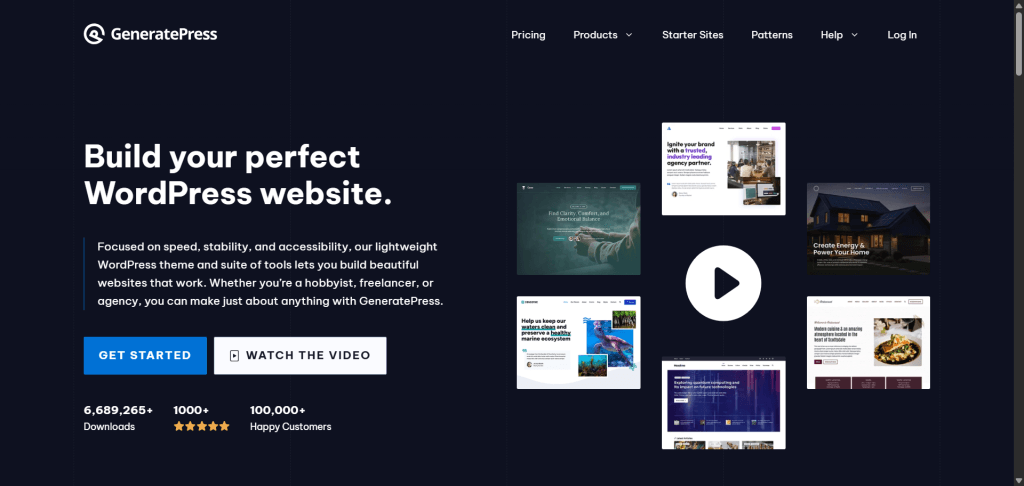
GeneratePress is a lightweight, performance-focused WordPress theme that’s perfect for creatives who want a fast-loading, clean, and professional portfolio site.
It’s a great choice for designers, photographers, writers, and freelancers who prefer simplicity, flexibility, and speed over flashy design extras.
The biggest strength of GeneratePress is its rock-solid foundation. It’s built for speed, stability, and SEO, making it one of the most optimized themes in the WordPress ecosystem.
Even if your portfolio is image-heavy, pages load in milliseconds, something both visitors and search engines appreciate.
GeneratePress offers a free version with solid basics, while the premium version (GeneratePress Pro) unlocks advanced modules like colors, typography, spacing, and custom layouts.
You can combine it with the GenerateBlocks plugin (also from the same developer) to design completely custom portfolio grids, galleries, or showcase sections without design skills.
It works seamlessly with most page builders, and even with Gutenberg alone, you have complete control over how your portfolio looks.
The design approach is minimal and modern. Your content takes center stage, and there are no unnecessary elements to slow things down.
If you value performance, SEO, and clean design more than complex visuals, GeneratePress is a smart, future-proof choice for your portfolio site.
GeneratePress Top Features:
- Lightweight and lightning-fast (under 50KB)
- SEO-optimized structure and schema markup
- Compatible with Elementor, Beaver Builder, and Gutenberg
- Modular design system in the premium version
- GenerateBlocks integration for custom layouts
- Accessibility-ready and mobile responsive
Pros:
- Incredibly fast and stable
- Easy to customize with GeneratePress Pro
- Compatible with all major page builders
- Excellent documentation and support
Cons:
- The free version has limited styling options
- Minimal design might feel too plain for creative-heavy portfolios
Top 3 Editor’s Picks for Portfolio Websites
After testing and comparing all the themes above, here are my top three picks for building a portfolio site that’s fast, flexible, and visually stunning.
1. Divi – Best All-in-One Creative Portfolio Theme
If you want full creative freedom without learning code, Divi is hard to beat. Its drag-and-drop builder and huge library of portfolio layouts make it ideal for freelancers, photographers, and anyone who wants complete control over design.
You can create anything from minimalist grids to cinematic galleries while maintaining a responsive and clean design.
Why I picked it: Divi offers a perfect blend of creative power, visual design options, and performance – everything you need to craft a standout portfolio site.
2. Astra – Best Lightweight Theme for Speed and Simplicity
Astra is perfect for creatives who want a fast, SEO-friendly, and modern-looking portfolio site. It loads incredibly fast and works seamlessly with Elementor and Gutenberg, allowing you to design custom layouts with ease.
Astra Pro offers extensive customization features and premium starter sites, making it one of the most future-proof options available.
Why I picked it: Astra is one of the fastest and most flexible portfolio themes, balancing visuals without compromising performance.
3. Oshine – Best for Stylish and Artistic Portfolios
If your work leans toward the visual arts—photography, design, illustration, or creative agency projects—Oshine delivers stunning results.
With over 50 demos, smooth animations, and a powerful Tatsu front-end page builder, you can design immersive portfolio pages that instantly grab attention.
Why I picked it: Oshine gives your creative work the bold, cinematic presentation it deserves, backed by professional polish and flexibility.
FAQs About Best Portfolio WordPress Themes
What makes a good WordPress theme for a portfolio?
A good portfolio theme should load fast, look professional, and highlight your work without distractions. It should support image and video galleries, be mobile-friendly, and allow easy customization using page builders. SEO optimization and clean navigation are also crucial, allowing potential clients to easily find and explore your portfolio site.
Can I use a free WordPress theme for my portfolio?
Yes, many free WordPress themes are great for portfolios, such as Astra, GeneratePress, or Inspiro. They’re lightweight, SEO-friendly, and work perfectly with free page builders. However, if you require advanced layouts, animations, or e-commerce features, upgrading to a premium version may be worthwhile.
Do I need coding skills to build a portfolio site on WordPress?
No, most modern WordPress portfolio themes come with visual drag-and-drop builders that make customization easy for beginners. Themes like Divi, Oshine, and Astra let you design unique portfolio pages visually, so you can focus on content instead of code.
Which page builder works best for portfolio websites?
Elementor is the most popular and beginner-friendly option. It works with most themes and lets you design your portfolio using live visual editing. If you’re using Divi, it already includes a built-in page builder with similar functionality.
What’s the fastest WordPress theme for portfolios?
Astra and GeneratePress are the fastest portfolio themes. Both are lightweight, built for Core Web Vitals, and perform well even with large image galleries, which is essential for a portfolio site.
How do I optimize my portfolio site for SEO?
Use a fast-loading theme, compress your images, and write descriptive titles and captions for each project. Installing an SEO plugin, such as Rank Math or Yoast SEO, also helps you add meta titles, descriptions, and schema markup to enhance your visibility in search engines.
Conclusion
Choosing the right WordPress theme for your portfolio site comes down to what matters most to you — design flexibility, speed, or ease of use.
If you want full creative control, Divi is your best bet. For a lightweight and SEO-optimized site that loads instantly, go with Astra or Kadence. And if you want something visually rich with ready-made creative demos, Oshine and Kalium are excellent picks.
No matter which theme you choose, remember that your portfolio site is more than just a website; it’s your online reputation.
Select a theme that showcases your work beautifully while remaining easy to navigate and fast to load. With the right theme and a little customization, you can turn your portfolio into a powerful tool that attracts clients and opportunities every day.