

If you’re looking for an easier way to speed up your WordPress website, the FlyingPress Black Friday deal is a good opportunity to save on a premium performance plugin.
This Black Friday, new FlyingPress customers can get 30% off their first year on any annual plan, including Starter, Pro, Business, and Unlimited.
You also get a 14-day free trial to test the plugin on your website before your subscription begins. The discount applies automatically when you start your trial through the special pricing page. You don’t need to enter a coupon code.
The promotion runs through December 2 at 11:59 p.m. Eastern Time.
FlyingPress Black Friday Deal at a Glance
How Much Can You Save With the FlyingPress Black Friday Deal?
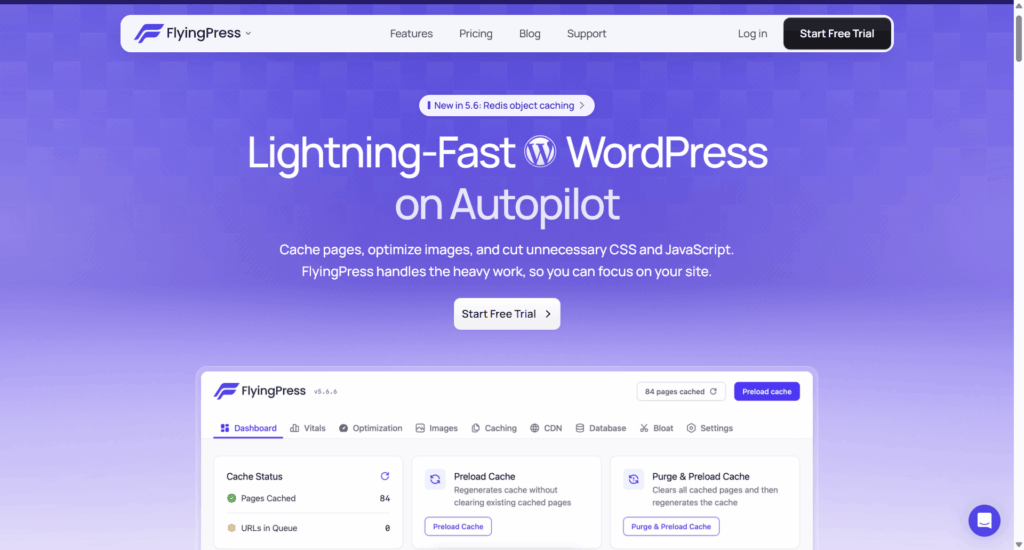
FlyingPress offers four annual subscription plans. The Black Friday promotion gives new customers 30% off the regular annual price for their first year.
Here is a breakdown of the discounted prices:
| Plan | Websites | Regular Price | Black Friday Price |
|---|---|---|---|
| Starter | 1 | $59/year | $41.30/year |
| Pro | 3 | $109/year | $76.30/year |
| Business | 25 | $229/year | $160.30/year |
| Unlimited | Unlimited | $279/year | $195.30/year |
You can save between $17.70 and $83.70, depending on your selected plan.
The Starter plan is suitable if you manage one WordPress website. The Pro plan covers up to three websites, while the Business plan supports up to 25 websites.
If you manage multiple client websites or run a WordPress agency, the Unlimited plan offers the most website coverage.
Remember that these discounted prices apply only to your first year. Your subscription renews at the regular annual rate unless you cancel.
What Does FlyingPress Offer?
FlyingPress is a premium WordPress caching and optimization plugin designed to improve website loading speed and overall performance.
It combines caching, image optimization, page optimization, and performance analytics in one plugin. You don’t need to install several separate plugins to handle these essential optimization tasks.
Here are some of its main features.
1. Page Caching
FlyingPress creates and serves cached versions of your website pages instead of generating them from scratch for every visitor.
This reduces server processing time and helps your pages load faster.
You can also preload your cache and automatically refresh it when you publish or update content.
2. Cloud Page Optimization
FlyingPress uses cloud-based optimization to improve how your website loads important resources.
It analyzes your pages and helps prioritize critical CSS, fonts, and media so visitors can see important content sooner.
This can help improve loading performance and Core Web Vitals.
3. Image Optimization
Large image files can slow down your WordPress website.
FlyingPress reduces image sizes by compressing JPG and PNG files and converting images to modern formats such as WebP and AVIF.
This reduces the amount of data browsers need to download without requiring you to optimize every image manually.
4. Core Web Vitals Analytics
FlyingPress includes performance analytics that help you understand how real visitors experience your website.
You can monitor important Core Web Vitals metrics and review performance by page, device, and country.
This gives you useful information about pages that may need further optimization.
5. Redis Object Caching
FlyingPress supports Redis object caching on compatible hosting environments.
Redis stores frequently requested database results, so WordPress doesn’t have to repeat the same database queries every time.
This can reduce database workload and improve performance, particularly on websites with dynamic content.
Note that you need a reachable Redis server and the PHP Redis extension on your hosting account to use this feature.
6. WooCommerce Support
FlyingPress supports WooCommerce websites.
You can optimize your online store while keeping dynamic shopping cart and checkout functionality working as expected.
This makes it a useful option for WordPress store owners who want better website performance without breaking essential shopping features.
How to Claim the FlyingPress Black Friday Discount
Claiming your 30% discount is straightforward. You don’t need to find or enter a coupon code manually.
Follow these steps:
- Visit the FlyingPress Black Friday deal page.
- Choose the subscription plan that matches the number of websites you manage.
- Click the button to start your 14-day free trial.
- Complete the signup process.
- Enjoy the full FlyingPress features during your free trial.
- Continue with your subscription to receive the 30% discount on your first year.
The discount applies automatically when you start your trial through the promotional pricing page.
Important:
FlyingPress automatically starts billing when your free trial ends if you continue with your subscription. If you don’t want to proceed, cancel before the trial expires to avoid being charged.
FAQs About FlyingPress Black Friday Deal
Final Thoughts
If you’re already considering FlyingPress for your WordPress website, this Black Friday promotion is a great opportunity to save 30% on your first year.
I particularly like that FlyingPress offers a 14-day free trial. You can install the plugin, test its optimization features, and see how it affects your website’s performance before committing to a paid subscription.
You also don’t need to enter a coupon code because the discount applies automatically through the promotional pricing page.
Whether you manage one blog, several business websites, or multiple client projects, there’s a plan that fits your needs.
Don’t miss the opportunity to save 30% on your first year.