

If you have installed WordPress and started researching SEO plugins, you have run into these two names within the first few minutes of your search.
Rank Math and Yoast are the two most recommended WordPress SEO plugins on the internet, and both have loyal followings that will defend their pick to the end.
The truth is, neither plugin is universally “better”. They are built around different philosophies.
Yoast built its reputation on content readability analysis and a clean, guided writing experience. Rank Math built its reputation on giving away features for free that other plugins charge for, then backing that up with a genuinely capable Pro plan.
This guide breaks down where each plugin wins, where it falls short, and which one fits your situation.
No overall winner declared between Rank Math vs Yoast SEO here. Just a category-by-category breakdown so you can make the right call based on what you actually need.
| Category | Winner |
|---|---|
| Free version Feature set | Rank Math |
| Pricing for Multiple Sites | Rank Math |
| Content Readability Analysis | Yoast |
| Schema Markup Depth | Rank Math |
| Setup and Onboarding | Rank Math |
| Internal Linking Suggestions | Yoast |
| Local SEO | Rank Math |
| Site Performance Impact | Rank Math |
| Support Quality | Tied |
If you only read the table and leave, here is the one-line takeaway:
Pro Tip!
Rank Math’s free version does more than Yoast’s paid version in several areas, but Yoast’s content analysis and internal linking suggestions still have a loyal following for good reasons.
What Each Plugin Actually Does
Both plugins handle the same core job. They give you control over post metadata, llms.txt, XML sitemaps, taxonomies, robots.txt, Local SEO, canonical URLs, and schema markup for every post and page on your site.
If you have followed our beginner’s guide to WordPress Permalinks or setup focus keywords in Rank Math already, you know the basic workflow.
What separates the two plugins is how much of that workflow is locked behind a paywall and how each plugin’s specific tools are built.
Rank Math Overview
Rank Math launched in 2018 as the challenger, and it grew fast by giving the free version features that Yoast and other competitors reserved for premium users.
Right now, the free version includes unlimited site usage, 13 built-in schema types, Google Search Console integrations, an advanced redirect manager, Local SEO, 404 monitoring, an llms.txt file, and Google Analytics 4 tracking without needing a separate plugin.
That is a genuinely long list for a plugin that costs nothing.
Yoast SEO Overview
Yoast has been around since 2010 and is still the plugin most WordPress tutorials and courses default to. Its free version covers fundamentals well: one focus keyword per post, readability analysis, XML sitemaps, llms.txt file, and basic schema output.
Yoast has always stood out for its writing experience. The traffic light system (red, orange, and green) next to each SEO and readability check gives beginners a clear, low-stress way to know if a post needs work before publishing.
Pricing: Rank Math vs Yoast SEO
Pricing is the single biggest differentiator between these two plugins.
Yoast SEO Premium costs $ 118.8 per year, per site, exclusive of tax. That price now bundles the Local SEO, News SEO, and Video SEO add-ons that used to cost extra, which is now a genuine improvement.
But the license is still per site. If you run two blogs, you pay for each blog separately. Run five sites, and you are looking at close to $600 a year just for the SEO plugin.
Rank Math Pro costs $7.99 per month, but is billed annually (approximately $96 in the first year). The Pro license covers unlimited personal websites you own.
If you run several niche blogs, this single difference can save you hundreds of dollars annually. Rank Math also offers Business and Agency plans for people managing client sites, something Yoast doesn’t offer as a direct equivalent outside a per-site license.
The Business plan currently costs $24.99 for the first-year license; that’s with a 10% discount offer. You renew at $27.99, which is still a good barging considering you can use it on up to 100 client sites. The Agency plan costs $54.99 with a 15% discount for the first-year license. Renewal costs $64.99 and covers up to 500 client sites.
If you already use WP Rocket for caching, Rank Math also sells a bundled Rank Math Pro + WP Rocket single-license plan, which will cost less than buying the two plugins separately if you were planning to use both anyway.
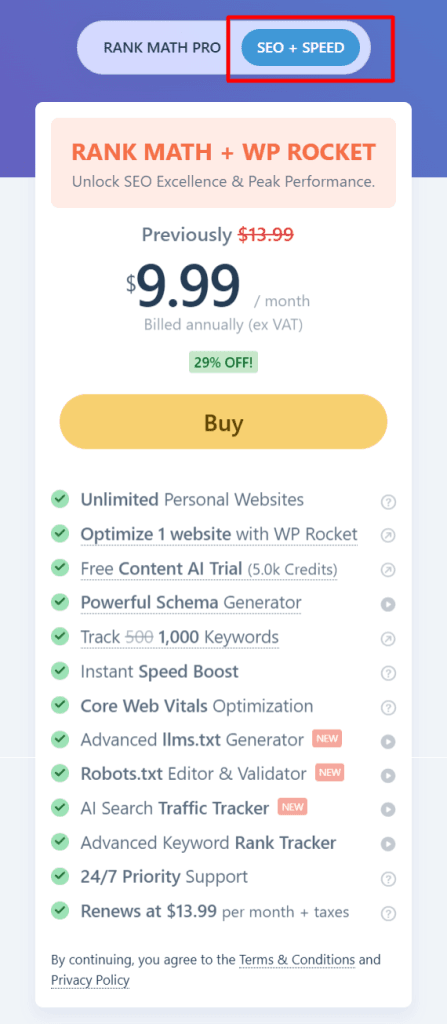
You can check current pricing and any active discounts on our Rank Math pricing page.
Verdict: If you manage a single site and rarely need redirects or advanced schema, the price gap does not really matter. If you manage more than one site, Rank Math’s unlimited-site license is hard to argue with on price, especially when comparing it with Yoast’s per-site license.
Free version Comparison
This is where most beginners decide, since most people aren’t paying for an SEO plugin on day one.
Rank Math’s free plan includes features Yoast puts behind the Premium license: additional focus keywords instead of one, a full redirect manager instead of none, 13 schema types instead of a handful, and Google Search Console data pulled directly into your dashboard.
For a beginner or small blogger who is not ready to spend money on an SEO plugin, Rank Math’s free version simply covers more ground.
Yoast’s free version leans on what it has always done well: readability scoring, a clean interface, and straightforward XML sitemap generation. If your priority is writing clearer content and you are not worried about schema or redirects yet, Yoast free still does the job it was meant to do.
Features-by-Features Breakdown
Schema Markup
Rank Math wins this one clearly. The free version alone includes 13 pre-built schema types (Articles, Review, Recipe, Person, Products, and more), and PRO unlocks a custom schema builder with hundreds (800+) of additional types plus Google-validated markup.
If you have already gone through de-indexing tags and category pages with Rank Math, you have seen how deep the plugin’s technical control goes. Yoast’s schema output is functional but limited to a handful of types on the free plan, with more unlocked in the Premium.
Content and Readability Analysis
This is Yoast’s strongest area, and it does it well. Yoast’s readability checks look at sentence length, passive voice, transition words, and paragraph structure, then explain what to fix in simple language.
Rank Math has a content analysis tool too, but most WordPress users who have tried both will agree Yoast’s version gives more useful, specific writing feedback.
If you are teaching a beginner writer how to structure a post for SEO, Yoast’s Interface still does that job better.
Internal Linking Suggestions
Another category where Yoast holds an edge. Yoast Premium suggests posts on your site you could link to based on the content you are writing, right inside the editor.
Rank Math added a similar feature (Internal Linking Suggestions is now part of its newer AI Link Genius tool), but it is less mature, and the suggestions tend to be less precise than Yoast’s.
Redirects Management
Rank Math wins here without much competition. The free version includes a full redirect manager that supports 301, 302, 307, 410, and 451 redirect types, plus regex support.
Yoast locks its entire redirect manager behind Premium. If you rename URLs often or clean up old content the way we described in our WordPress maintenance checklist, having a free redirect manager is a real convenience.
Social Sharing and Open Graph
Yoast and Rank Math handle Open Graph and Twitter Card markup in their free versions, so posts share correctly on Facebook, LinkedIn, and X (Twitter) with the right title, description, and preview image instead of whatever WordPress guesses on its own.
The setup is nearly identical: you set up a default image for the site, then override it per post if you want a custom image for sharing.
Rank Math goes a little further on the free plan by letting you add overlay icons or badges on top of your social share images automatically, and it gives you a live preview of exactly how a post will look when shared on Facebook and X before you publish.
Youast’s free version covers the same core fields (custom title, description, and image per platform), but the extra polish, like default fallback images tied to your site identity, is only fully unlocked in the Premium plan.
Neither plugin’s social sharing tools are a dealbreaker. If Open Graph accuracy is all you need, both get the job done.
Robots.Txt, LLMS.txt, and .htaccess File Management
Both plugins let you configure your site’s llms.txt file and edit your site’s robots.txt and .htaccess file directly from the WordPress dashboard, saving you the time of connecting over FTP just to block a folder from being crawled.
Rank Math’s robots.txt editor lives under its General settings and is available in the free plugin, along with the .htaccess editor for server-level rules.
Yoast also includes a robots.txt editor in its free version, tucked under Tools rather than a dedicated SEO settings page.
Functionally, the two do the same thing: you can add or remove disallow rules, adjust crawl directives, and save changes without touching a file manager.
Rank Math’s version is a bit more discoverable because it’s closer to the plugin’s main settings page. However, neither plugin locks basic robots.txt editing behind a paywall, which matters if you want full control over what gets crawled on your site.
Local SEO
If you run a business site with a physical location or service area, this category matters more than most of the other arguments on this list.
Rank Math includes Local SEO in its free version, with local business schema, opening hours, map embed, and support for 193 business types. PRO and Business plans add multi-location support for businesses with more than one storefront or office.
Yoast used to sell Local SEO as a separate $79/year add-on, but that changed in its recent pricing update; it now bundles Local SEO into Yoast SEO Premium at no extra cost, alongside News SEO and Video SEO.
That is a meaningful improvement for existing Yoast users, though it does mean local business schema and multi-location support are Premium-only on Yoast, where Rank Math offers a version of it for free.
For a single-location local business, the Rank Math free plan is enough to get proper local schema working without spending anything. For an agency managing local SEO across several client locations, both plugins can handle it, and the pricing comparison earlier in this guide applies here too.
WooCommerce SEO
Both plugins offer WooCommerce-specific SEO tools, and both charge for deeper features.
Rank Math’s WooCommerce SEO module is included in PRO. Yoast sells WooCommerce SEO as a separate bundle on top of Premium, which pushes the total cost higher if you are running a store.
If speed matters as much as SEO for your store, our guide to speeding up a WooCommerce store is worth pairing with whichever plugin you choose.
Image SEO
Images are one of the most commonly neglected areas of on-page SEO, and both plugins approach fixing that in very different ways.
Rank Math’s free version includes a dedicated Image SEO module that can automatically add missing ALT and Title attributes across your entire site. You set a format using variables like post title, focus keyword, filename, or site name, and Rank Math applies that format at runtime to any images that do not already have one.
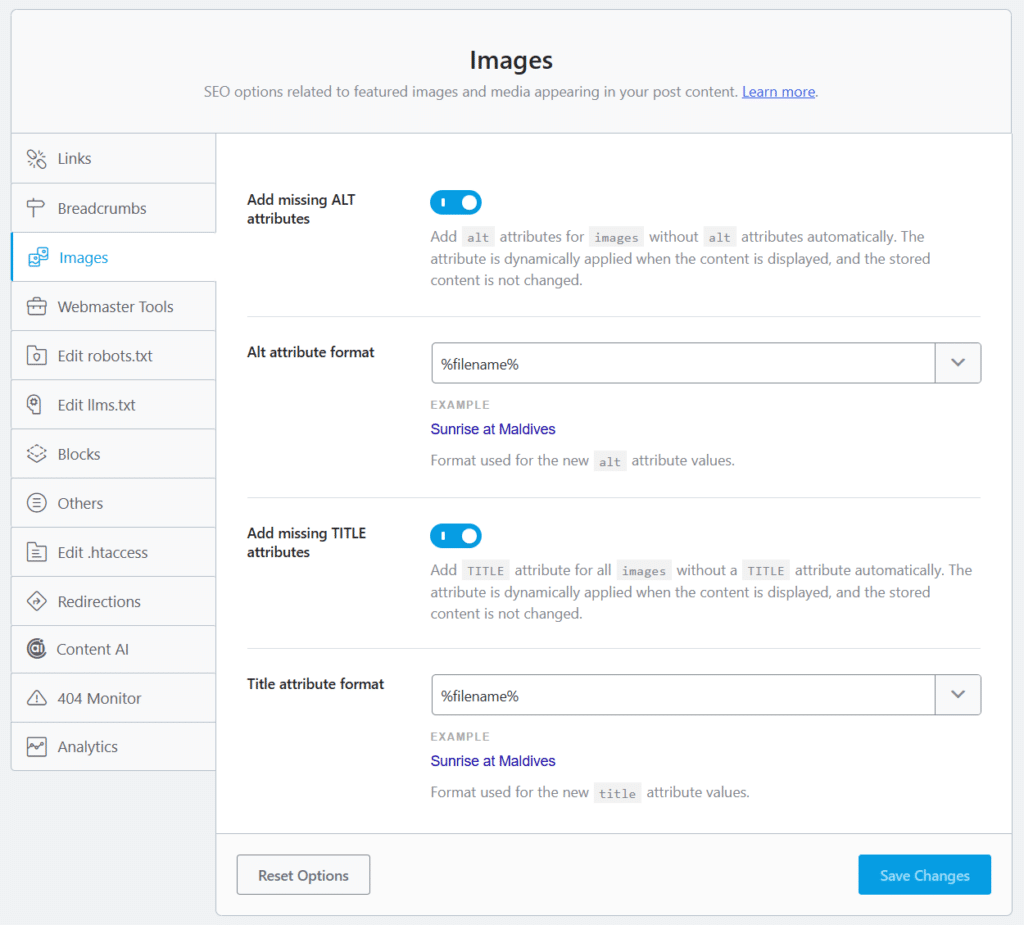
Nothing is rewritten in your media library itself, so the change is reversible and costs no server resources, even across thousands of images. PRO adds more depth on top of that: auto-generated captions and descriptions, a find-and-replace tool for existing image metadata, automatic ALT text for user avatars, and casing controls so titles and descriptions come out consistently formatted.
Yoast takes a narrower but more editorial approach. Its free version checks every image in a post as part of the standard content analysis, flagging any missing alt text and checking whether the alt text you wrote reflects the page’s focus keywords rather than just repeating them.
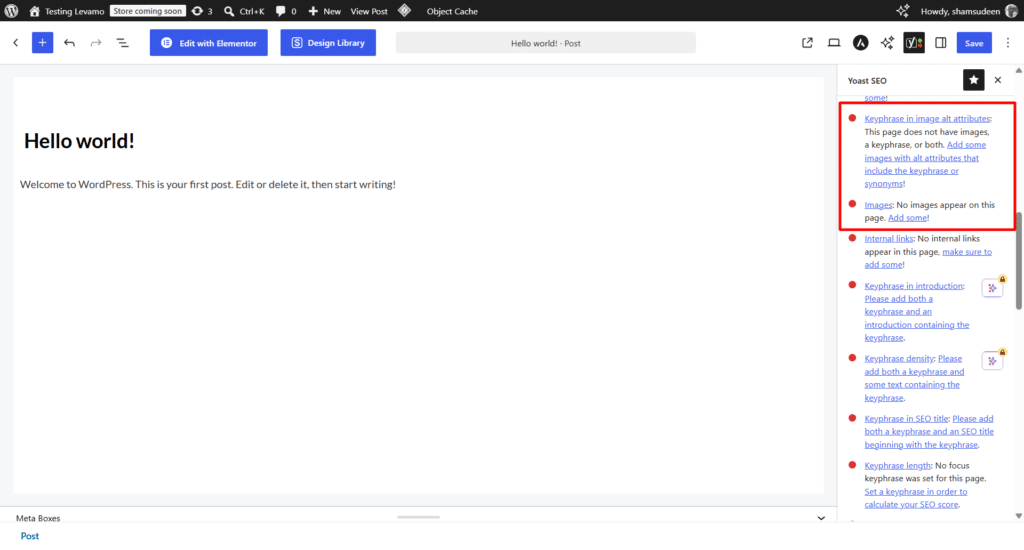
Premium plan adds synonymous matching, so alt gets credit even if it uses a variation of your keyphrases instead of the exact terms. Yoast does not auto-generate alt text sitewide the way Rank Math does.
Its commerce plans (WooCommerce SEO, AI+, Shopify) go further for product catalogs, checking alt text alongside GTIN, ISBN, and SKU fields, and Yoast has an AI-drafted bulk alt text tool for product images in development.
The practical difference comes down to automation versus discipline.
Rank Math is built to fix a sitewide gap automatically and at no cost, which matters if you have years of old posts with missing alt text. Yoast is built to catch the problem post by post while you are writing, which is good if your priority is writing quality alt text yourself rather than having the plugin fill gaps for you.
Both approaches lead to the same outcome (properly describe images); they just get there from opposite directions.
AI Tools
Both plugins have incorporated AI over the past years.
Rank Math offers Content AI as a separate add-on with its own pricing tiers, plus AI Link Genius for internal linking automation. Yoast introduced an AI+ plan that layers AI writing tools on top of Premium.
Beyond that, both plugins offer AI post titles and meta description generators in their snippet preview screen.
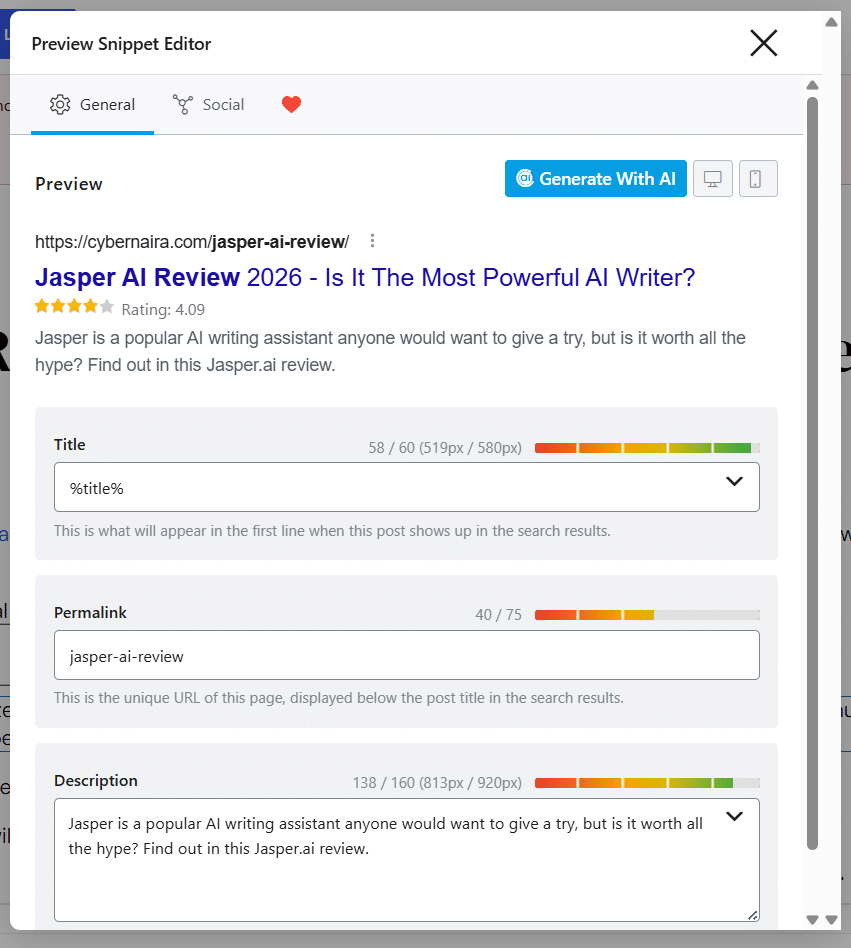
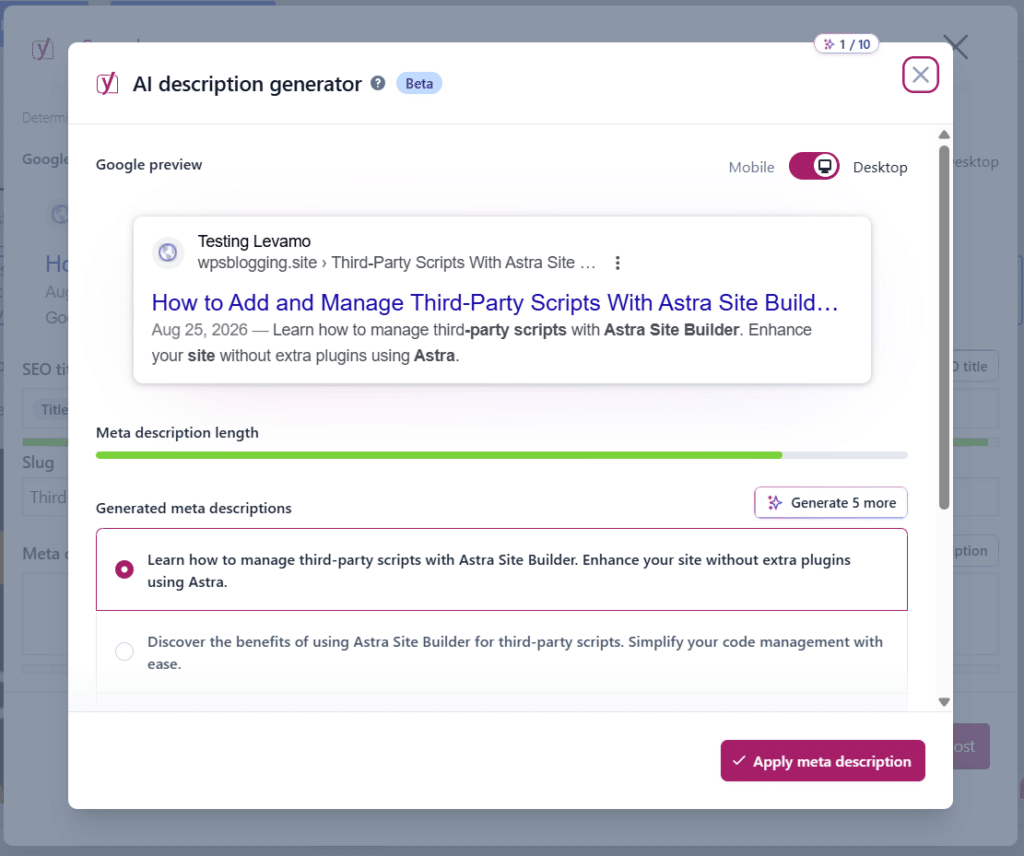
However, neither plugin’s AI features are essential to good SEO, and both are still early enough in development that we wouldn’t choose a plugin based on them alone right now.
Site Speed and Performance Impact
Rank Math is generally the lighter plugin in terms of database queries and admin load time, which many performance-focused WordPress users have noticed and reported.
If you have already read through our guide on WordPress speed optimization, you know every plugin adds some overhead to your database.
Neither plugin will tank your site’s speed on its own, but Rank Math tends to come out slightly ahead in side-by-side testing.
Setup and Onboarding
First impressions matter for a plugin you will interact with on every post.
Rank Math setup wizard is more guided than Yoast’s. It walks you through connecting Google Search Console, choosing which schema types apply to your site, importing settings from a previous SEO plugin if you have one, and picking a sensible default for site type (blog, business, online store, and so on) in a single flow.
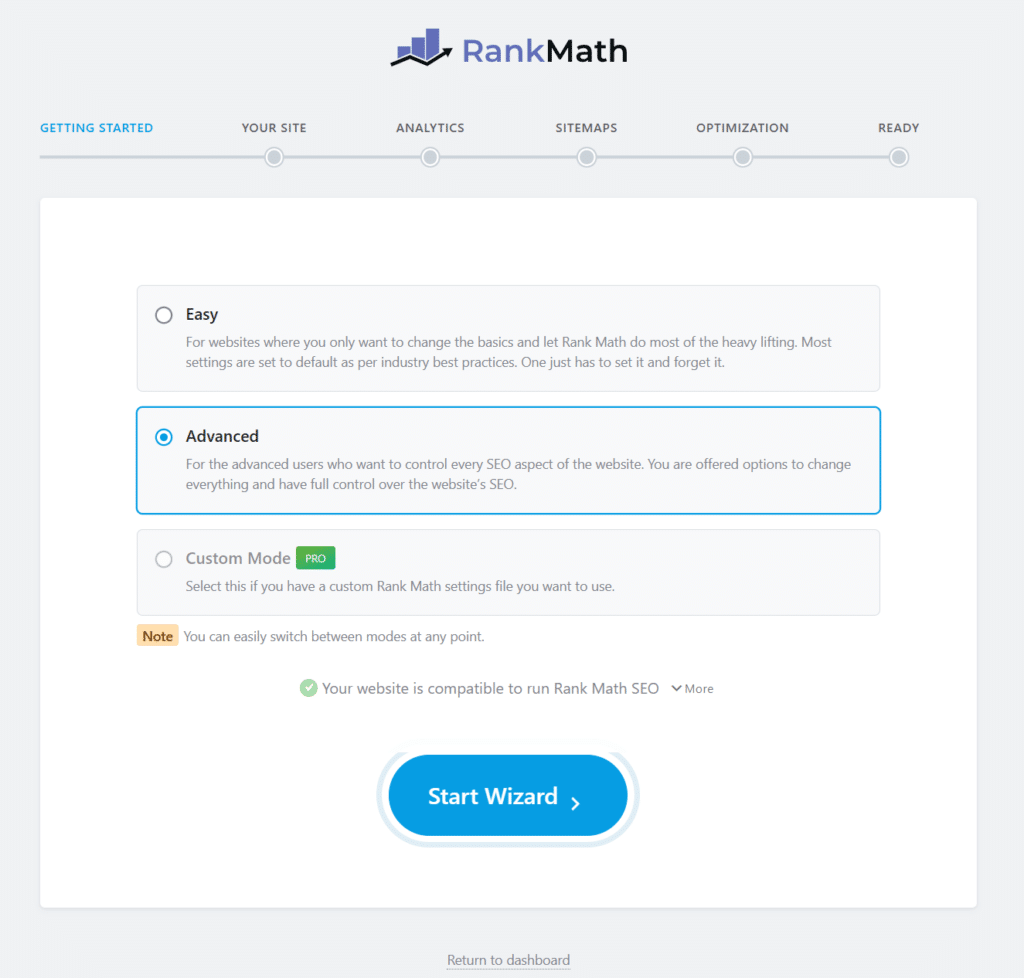
From start to finish, these steps only take about 5 minutes to complete.
Yoast’s onboarding is simpler by comparison, mostly because it asks for less. You confirm your site type, connect Search Console and GA4 via Site Kit by Google if you want to, and you are dropped into the dashboard.
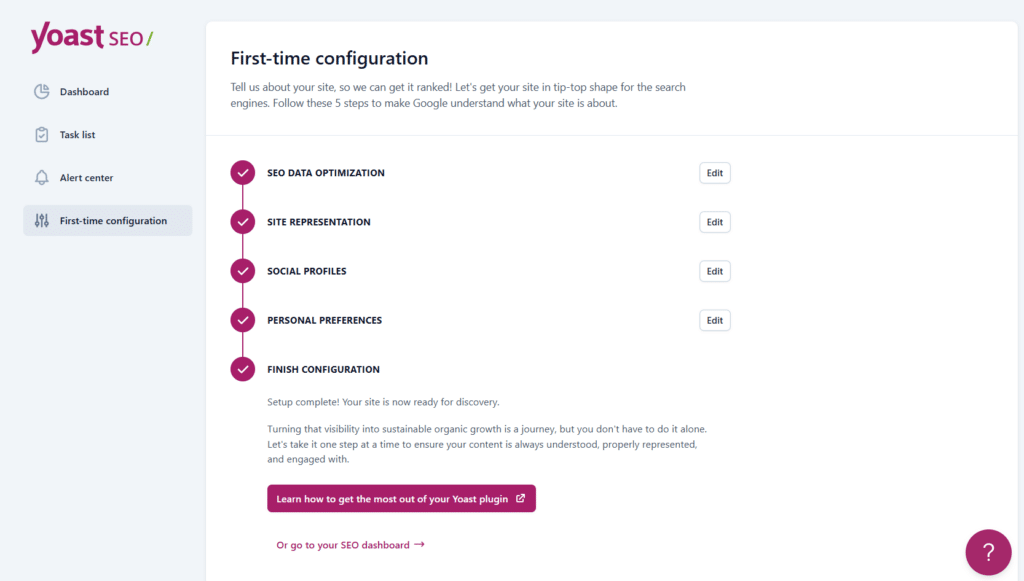
That simplicity isn’t a bad thing if you find the configuration wizard overwhelming, but it also means Yoast leaves more settings at their defaults until you go looking for them yourself.
Support and Documentation
Both companies run active support teams and maintain detailed knowledge bases, so neither one leaves you stuck.
Rank Math’s free version includes standard support, and PRO includes priority ticket support. Yoast’s offers support to free users through the WordPress.org forum, with direct email support reserved for Premium customers.
In practice, documentation depth matters more than raw response time. Rank Math’s knowledge base tends to go deeper into technical topics like schema validation and redirect rules, which fits users who want to configure things manually.
Yoast’s documentation and its companion Yoast Academy courses lean toward teaching SEO concepts from the ground up, which fits its identity as the more beginner-friendly of the two.
Content AI and Automation Pricing.
Since both plugins now sell AI add-ons separately from the core SEO plugin, it is worth noting that one bundles AI writing tools into the base price.
Rank Math’s Content AI is billed on its own plan on top of whatever SEO plugin plan you choose, and Yoast’s AI+ plan works the same way, layering AI tools on top of Premium rather than replacing it.
If AI content assistance is a priority for you, budget for it separately from whichever core SEO plugin you pick, since neither one’s base pricing includes it.
Migrations: Switching Between The Tow Plugin
If you are already running one plugin and considering a switch, both make the process fairly painless. Rank Math includes a one-click importer that pulls your settings, author data, post metadata, Blocks, sitemap settings, and other data from Yoast, AIOSEO, or SEOPress.
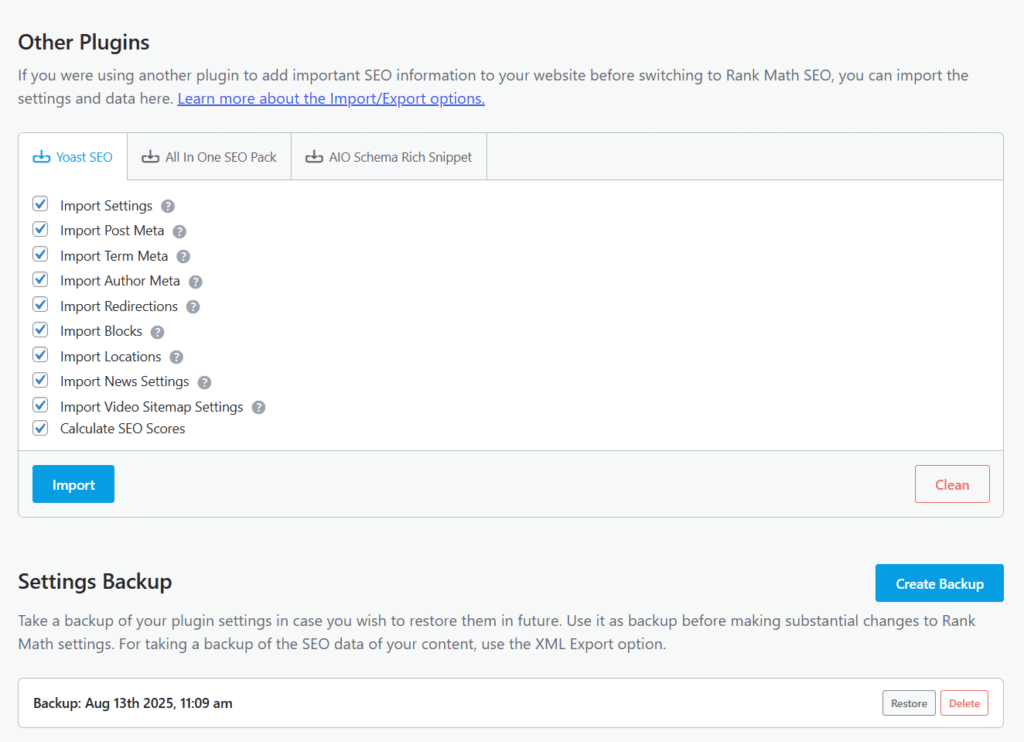
Yoast has a similar import path from other SEO plugins, including Rank Math. The process is straightforward, too; it only requires five steps, and you’re done.
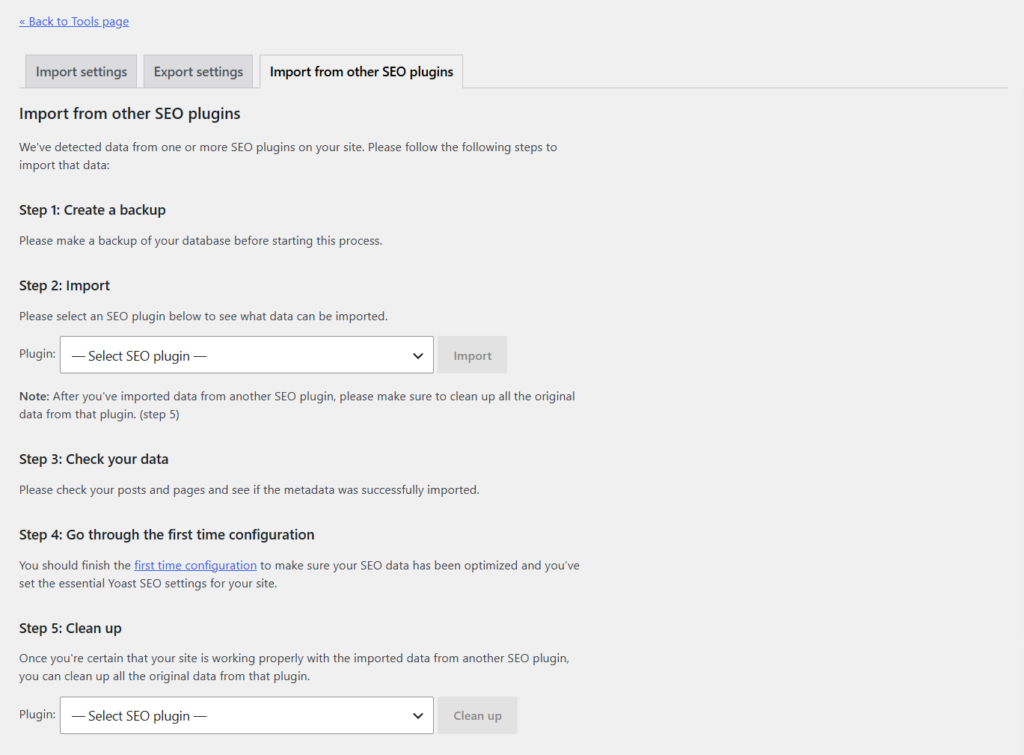
In either direction, backup your database first and double-check your redirects and schema after the migration completes, since these are the two areas most likely to need a manual review.
Which Plugin Should You Actually Choose? Editor’s Take
For a single blog where writing quality is the main focus, Yoast SEO free version still holds up, and Premium’s internal linking suggestions are genuinely useful once your content library grows.
For anyone managing multiple sites, running an affiliate or niche site network, or wanting deeper schema and redirect control without paying for it, Rank Math is difficult to beat on value alone.
If you’re just starting out and are not sure which camp you fall into, start with Rank Math’s free version. It gives you more room to grow before you need to spend anything on an SEO plugin. And if you decide later that Yoast’s writing analysis suits you better, migrating over takes a few minutes.
You can grab the current Rank Math discount through our Rank Math pricing and coupon page if you decide PRO is worth it for your setup.