

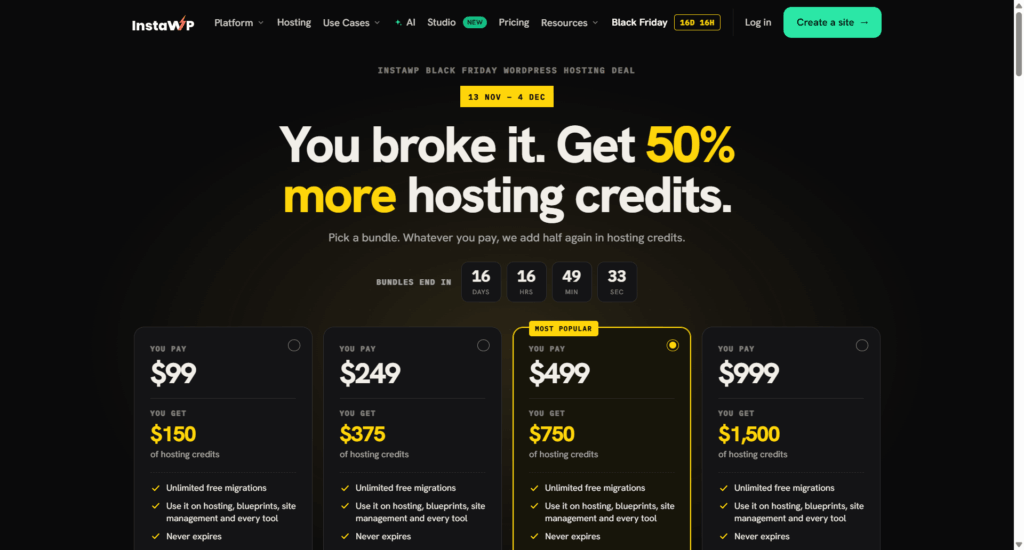
InstaWP is running a Black Friday deal that works differently from most hosting promotions. Instead of a discount on a first-term plan that jumps in price at renewal, you pay once and get 50% more hosting credits to spend on your sites.
Pay $99, and you get $150. Pay $999, and you get $1,500.
The deal is live from November 13 to December 4, 2026, and closes at 11:59 pm UTC on the last day. No coupon code is needed. The bonus is applied automatically when you pick a bundle.
InstaWP Black Friday Deal Details
| You pay | You get hosting credits |
|---|---|
| $99 | $150 |
| $249 | $375 |
| $499 | $750 (most popular) |
| $999 | $1,500 |
Every bundle includes:
The deal runs November 13 to December 4, 2026. Every $1 you pay becomes $1.50 in credits.
How the Bundles Work
Think of a bundle as prepaid hosting with a bonus. The credits sit on your account, not on one site, so they pay the invoices for every site you host.
Credits are spent at InstaWP’s standard rates. Your plan and price don’t change, and no renewal price jump is waiting for you later. The extra 50% simply buys more hosting credits.
Sites are billed by the day, not on an annual contract. You can switch plans or close a site on any day and stop paying. That makes bundles a good fit if you test ideas often or manage WordPress sites that come and go.
What You Can Spend Your Credits On
The credits balance covers more than hosting plans:
InstaWP Plans and What They Cost With a Bundle
Because each bundle gives you $1.50 for every $1, every plan costs about a third less in practice.
| Plan | Best for | List price | Effective price with a bundle | Resources |
|---|---|---|---|---|
| Sandbox | Dev and staging | $2/mo | about $1.33/mo | 1 CPU, 5 GB SSD |
| Starter | Small sites and blogs | $5/mo | about $3.33/mo | 2 vCPU, 10 GB SSD |
| Plus | Dynamic sites | $9/mo | $6/mo | 3 vCPU, 20 GB SSD |
| Pro | Growing sites | $15/mo | $10/mo | 4 vCPU, 35 GB SSD |
| Turbo | WooCommerce stores | $25/mo | about $16.67/mo | 6 vCPU, 50 GB SSD |
| Elite | High traffic | $45/mo | $30/mo | 10 vCPU, 75 GB SSD |
Every plan includes unlimited free migrations, SSH, WP-CLI, Git and SFTP, free SSL, AI tools with in-site MCP, PHP 7.4 to 8.5 and human support. Starter adds a CDN, a basic firewall and weekly backups.
Plus adds daily backups, object cache, an advanced firewall with bot and DDoS protection, and managed updates and monitoring. Pro adds built-in staging and image optimization.
Turbo is for WooCommerce stores, and it adds more CPU for cart and checkout activities, while the Elite plan is for high-traffic sites that need powerful resources for unexpected traffic spikes.
How Long Will Your Credits Last?
Here are a few examples at standard rates.
Credits never expire, so you do not have to spend them in a hurry.
Which Bundle Should You Choose?
Free Migrations From Any Host
If your site lives somewhere else, InstaWP’s team moves it for you at no cost. Migrations are unlimited and included on every plan, so a bundle lets you move several sites at once. If you are tired of a host with rising renewal prices, this is a clean way out.
Who This Deal Is For
This InstaWP Black Friday deal suits you if you:
It may not be the right fit if you only need one low-traffic site and prefer a traditional monthly plan. Because bundles are prepaid, make sure the amount matches what you realistically plan to host.
Final Thoughts
InstaWP’s Black Friday deal gives you 50% more hosting credits, no coupon, no renewal price jump and credits that never expire. Since billing is daily and there is no contract, the only real decision is which bundle size suits you.