

I have been a Namecheap customer for over a decade. Mostly, I have used their shared hosting and domain registration services.
This Namecheap review focuses on the Stellar shared hosting plan. Notably, I’ve used both the Stellar and Stellar Business plans, so my experience with Namecheap shared hosting runs deep.
Consider this review the one you need to decide whether to host your blog with Namecheap or try another host.
I share what makes Namecheap great, where it falls short, the alternatives, and things you can actually manage if you decide to subscribe.
So let’s dive in.
Namecheap

A decade of hands-on use across Namecheap’s Stellar and Stellar Business shared hosting plans. Namecheap delivers reliable uptime, responsive support, and a genuinely useful Sitejet AI Website Builder, but SSL and backups require some manual setup that first-time hosts should know about before signing up.
Price: 2.28
Price Currency: USD
Operating System: Web-Based
Application Category: BusinessApplication
4.2
Pros
- Fast, helpful live chat support
- Sitejet AI Website Builder included for free
- Free Supersonic CDN
- Free PositiveSSL for year one
- Reliable uptime over a decade of use
- Developer tools included (Node.js, Python, Ruby, SSH)
- eAccelerator and xCache acceleration on Stellar Business
Cons
- No free Let's Encrypt SSL
- Base Stellar backups require a support ticket to restore
- cPanel interface not beginner-friendly out of the box
What is Namecheap?
Namecheap started in 2000 as a domain registrar and has grown into a full hosting provider, now serving customers from a data center in Phoenix, Arizona, with additional EU and Singapore options.
It’s best known for cheap domain pricing and free WHOIS privacy, but shared hosting has become just as central to the business. Its shared plans (Stellar, Stellar Plus, and Stellar Business) run on cPanel, come with unmetered bandwidth, a 100% uptime target, and a 30-day money-back guarantee for first-time hosting customers.
For bloggers and small businesses on a budget, Namecheap’s appeal is straightforward: familiar tools, low entry pricing, and a reputation for responsive support. This review focuses on the trade-offs, mainly around SSL, performance, and backups.
cPanel
Many comparable web hosts have ditched cPanel for a custom control panel. Namecheap still sticks with it.
For anyone who built websites from the early 2000s through the mid 2010s, cPanel was the default control panel for managing a website. In recent years, that dominance has given way to custom dashboard experiences at most hosts.
Here’s the thing: Namecheap’s cPanel gets the job done.
There’s Softaculous to install WordPress and other applications, file managers to access server-level resources, and security, domain management, email management, database, and site metrics tools.
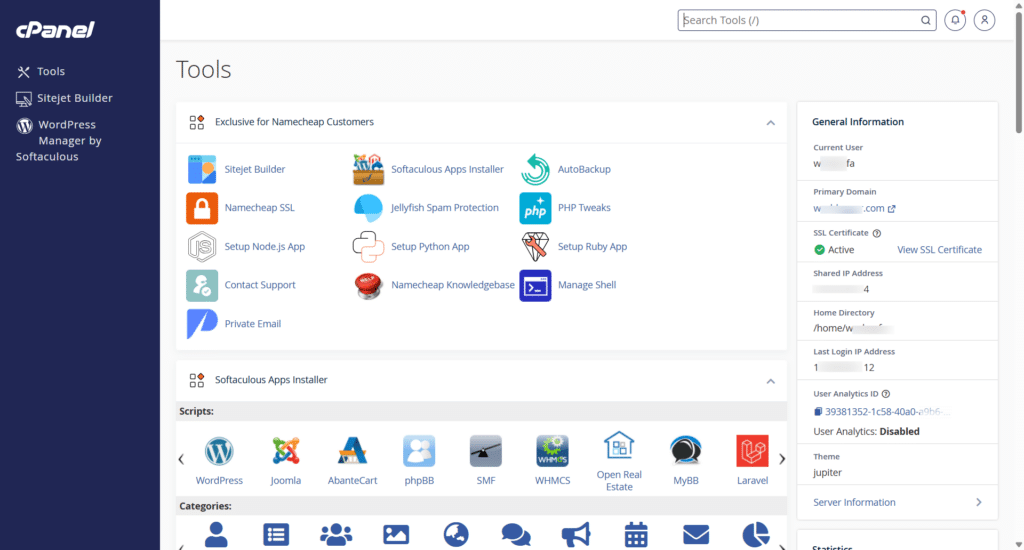
The problem is that cPanel can feel intimidating to a first-time user, especially if you lack technical knowledge or have never managed a blog before.
The homepage has a lot of icons, and if you don’t know what you’re doing, you’ll spend more time figuring out what’s next than actually working.
But if you’re not bothered about learning what each icon does, you have nothing to worry about when managing your site.
Namecheap’s cPanel includes every essential tool you need to manage a blog: Auto-SSL, an AI site builder, PHP version control, performance optimization tools, database management, backups, and security tools.
Namecheap SSL
For most web hosts I’ve used, a free Let’s Encrypt SSL certificate is standard.
No workaround needed. You enter your domain, click a button, the certificate installs automatically, and it revalidates when it expires.
You don’t even need to remember when.
Namecheap does things differently. It doesn’t issue free Let’s Encrypt certificates on shared hosting; instead, it bundles its own PositiveSSL certificate free for the first 12 months, covering up to 50 domains per hosting account.
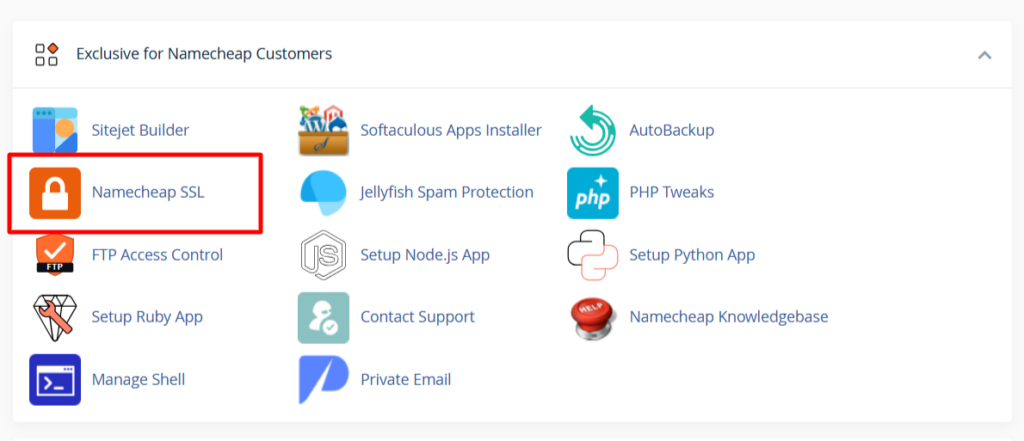
After that first year, you renew the subscription to keep it active.
If those domains are registered with Namecheap, the free PositiveSSL works out of the box, with no configuration needed. If you register the domain elsewhere, that free PositiveSSL doesn’t apply.
One workaround is to route your site through a CDN like Cloudflare, which issues its own certificates.
Here’s the nuance worth understanding before you do that, though: a CDN certificate only secures the whole connection if you set it up correctly.
Cloudflare offers three SSL modes. “Flexible” only encrypts the leg between the visitor’s browser and Cloudflare’s edge, leaving the connection from Cloudflare to your Namecheap server unencrypted.
“Full” and “Full (Strict)” encrypt both legs, with the second one validating that the origin certificate is properly signed.
To get that full protection, you install a certificate on your Namecheap server too, either your existing PositiveSSL or Cloudflare’s free Origin CA certificate (issued specifically for this purpose and installed through cPanel’s SSL/TLS manager).
For a business site collecting payment or personal information, Full (Strict) is the mode to use, not Flexible.
Namecheap also has its own CDN, Supersonic. It’s included free at a basic tier on every shared hosting plan (with DDoS protection and a bandwidth cap), and I haven’t tested it directly for this review, so I can’t speak to how it compares to Cloudflare on speed.
It’s worth trying as a first option before reaching for a third-party CDN, since it plugs into cPanel with no extra SSL juggling required.
AI Website Builder
Most web hosts now include AI site builders in their hosting features. Given how the internet has evolved over the last five years, AI tools are close to a necessity for website management now, not a nice-to-have.
How does Namecheap handle this?
Namecheap Stellar hosting includes the AI Website Builder from Sitejet, complete with a drag-and-drop editor. You drag elements into any section, generate content with AI, and change colors, fonts, footers, sections, and headings, all without touching a single line of code.
Sitejet also gives you code editing access if you want to get technical or build custom functions, and you can preview your design across dozens of screen sizes and device models from different brands, from iPad Pro down to a Fire HD tablet.
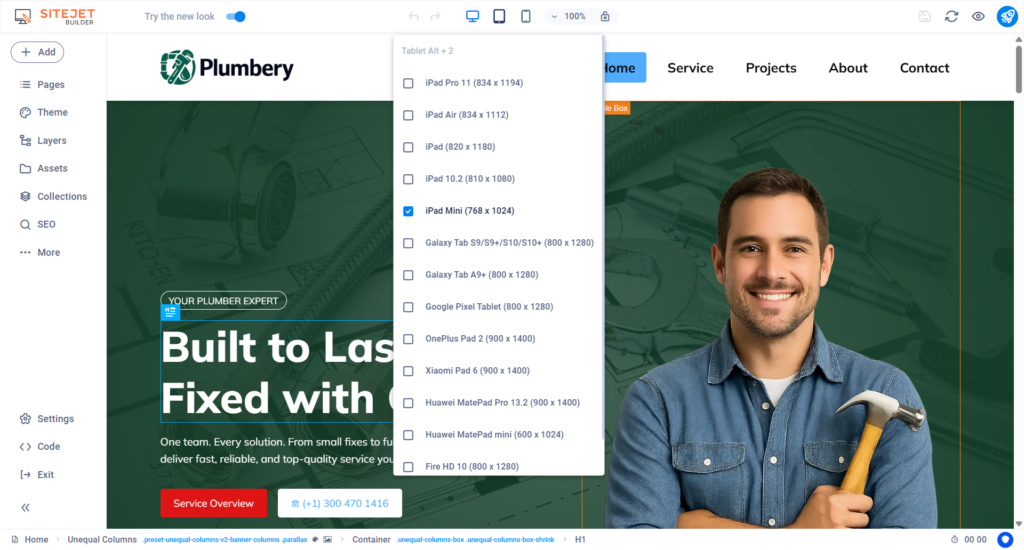
When I tested it, Sitejet offered two ways to build a site: the AI Website Builder or the Template option. Both let you keep editing inside the same drag-and-drop editor afterward.
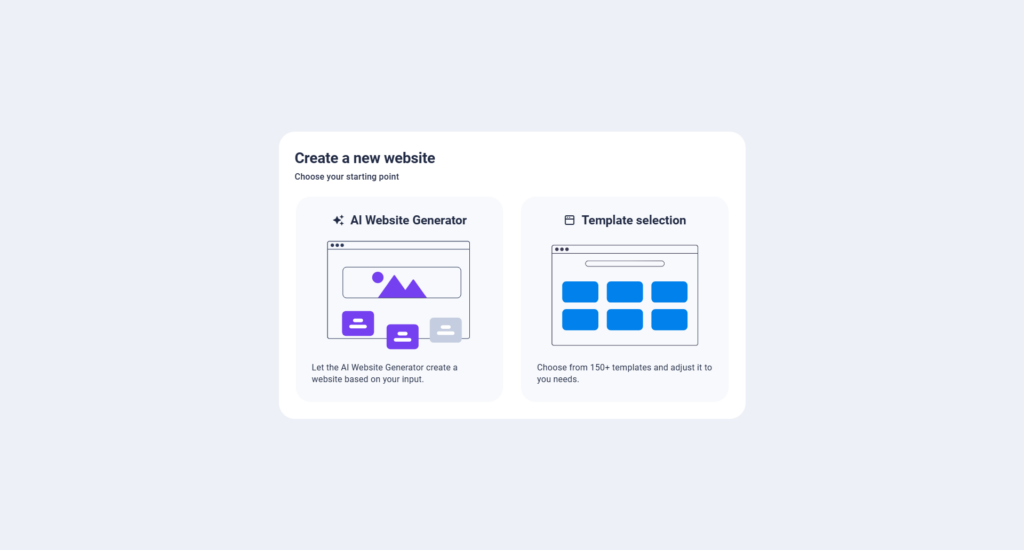
The AI Website Builder is the no-code, describe-your-business-and-let-AI-build-it option. You get a homepage, contact page, About page, and other relevant pages generated within minutes, and you choose between a One-Pager or Multi-Pager layout before it starts.
This option suits anyone who wants a quick site with minimal hands-on involvement.
The Template option starts you from a pre-made design based on your business category or industry. From my experience, starting from a template is the better route if you want a polished, high-quality result.
The templates I saw (from plumbing services to food and healthcare) were well crafted and look more modern and professional than most AI-generated first drafts.
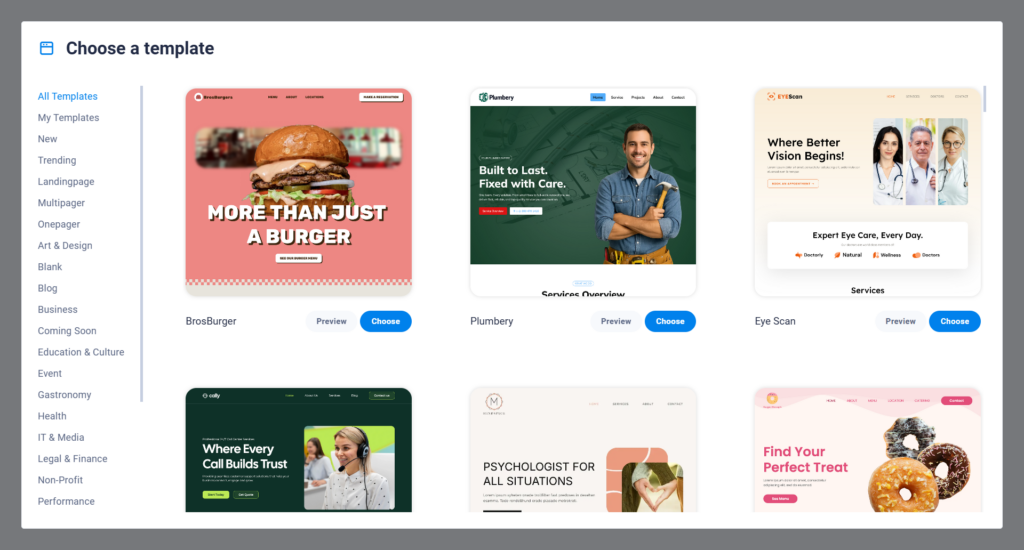
I’d start from a template rather than generate a site from scratch with Sitejet AI.
Once your site is generated, Sitejet also hands you a “Manage pages” panel where you can review, edit, add, or remove every page it created, plus a color palette step where you pick from several pre-built brand palettes (each shown as a live preview with a headline, body copy, and button) before you commit.
Speed, Uptime, and Server Performance
For shared hosting, Namecheap’s Stellar plans rank among the higher-performing options.
First, over the decade I’ve been running multiple sites on Namecheap, one thing has stood out: near-100% uptime.
Except for routine server maintenance or unexpected incidents, like the one at their Phoenix data center, my sites have been online effectively around the clock.
I monitor website availability with multiple tools, including Uptime Robot and Jetpack Downtime Monitoring. I can’t remember a time when either flagged server downtime for a site I hosted on Namecheap.
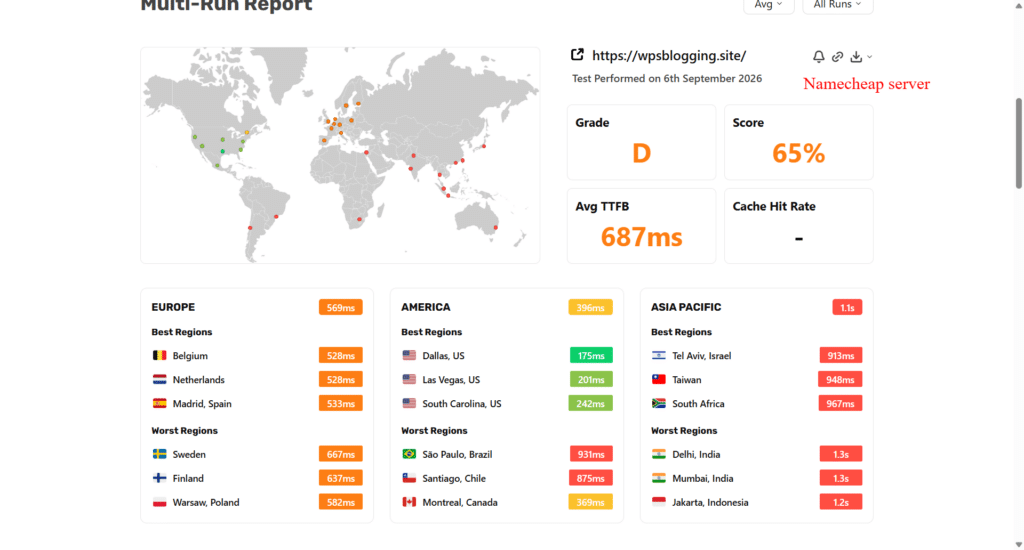
Second, for raw origin server performance (no caching, no CDN, no optimization), Namecheap’s shared hosting TTFB is workable for a small business or low-traffic site where SEO isn’t a top priority.
In my test, using SpeedVitals TTFB from 40 locations across 3 continents, Namecheap’s origin server averaged 687ms. This kind of test shows which server location performs best for your specific audience, even with zero optimization applied.
With a CDN (Cloudflare) and a caching plugin added, TTFB dropped dramatically to an average of 148ms.
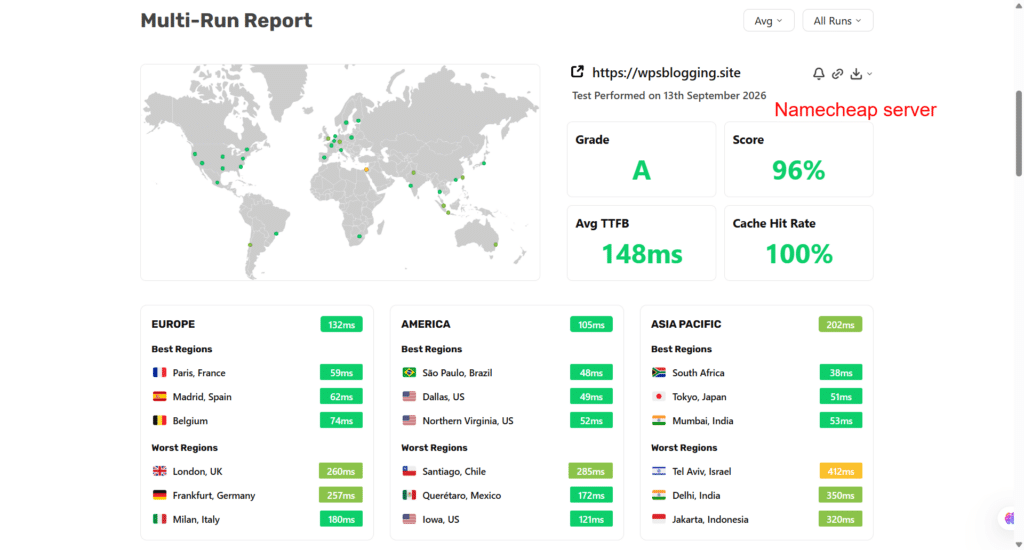
These are the numbers that actually matter to you, because they reflect what your visitors experience once Cloudflare is serving content from the edge.
I run the Stellar Business plan myself, which includes the eAccelerator and xCache PHP acceleration stack, both of which cache compiled PHP scripts, which is one of the reasons page generation stays snappy even on shared resources.
NOTE:
Namecheap does not support Redis Object Cache on its shared hosting servers. If that’s important to you, especially if you’re planning to run a store or other business with heavy database operations, consider a Namecheap VPS or Dedicated plan instead.
Security and Other Hosting Features
Every website needs to be secure, yours included, or it’s vulnerable to cyberattacks and data breaches.
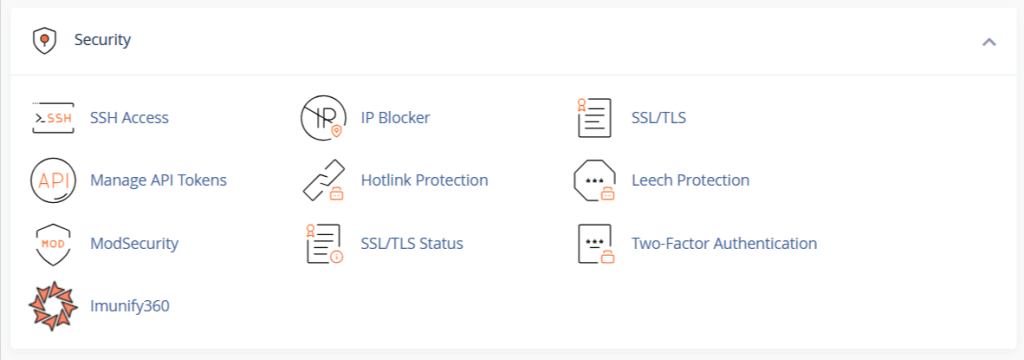
Namecheap includes solid security features across all shared plans: Imunify360 for malware scanning and bot protection, KernelCare for automatic kernel patching, and a machine learning firewall.
You also get two-factor authentication, hotlink protection, and more at no extra cost. You also get server-level control: PHP version selection, server-level applications, FTP access, and SSH.
Backups work differently depending on your plan, and this is where many Namecheap shared hosting reviews get it backward.
On Stellar, Namecheap runs an internal backup roughly twice a week, but it’s explicitly not guaranteed and not self-service. If you need to restore something, you open a support ticket and wait for a technician to do it.
On Stellar Plus and Stellar Business, you get that same twice-weekly backup plus the AutoBackup tool: 6 daily, 3 weekly, and 5 monthly restore points, accessible right in cPanel, with a one-click restore you control yourself.
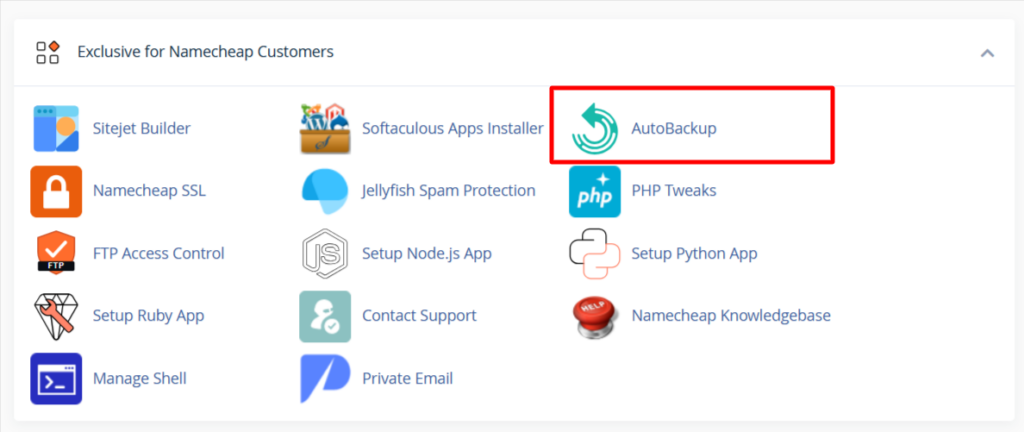
Beyond backups, Namecheap bundles developer tools worth knowing about even if you never use them: PHP version and tweak controls, FTP access control, setup wizards for Node.js, Python, and Ruby applications, plus a browser-based Manage Shell for anyone comfortable working from the command line.
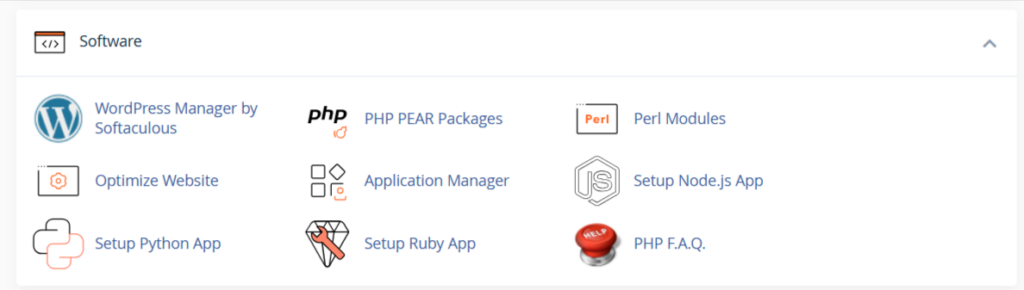
None of this is essential for a basic blog, but it means you’re not boxed in if you later want to run something beyond WordPress.
Support
Customer support is one of Namecheap’s strongest assets. Ask any long-standing Namecheap customer, and they’ll tell you the same.
First, there are hundreds of tutorials, knowledge base articles, and walkthrough videos. This means you can troubleshoot most issues independently, as long as you can read and follow instructions.
Next, there’s the actual live support system. Based on decades of experience engaging support on both technical and non-technical issues, the response has consistently been fast and helpful.
When you open the chat window and type your issue, Namecheap’s AI agent, Suzy, jumps in first and attempts to resolve it. If you’re not satisfied, it escalates to a human rep.
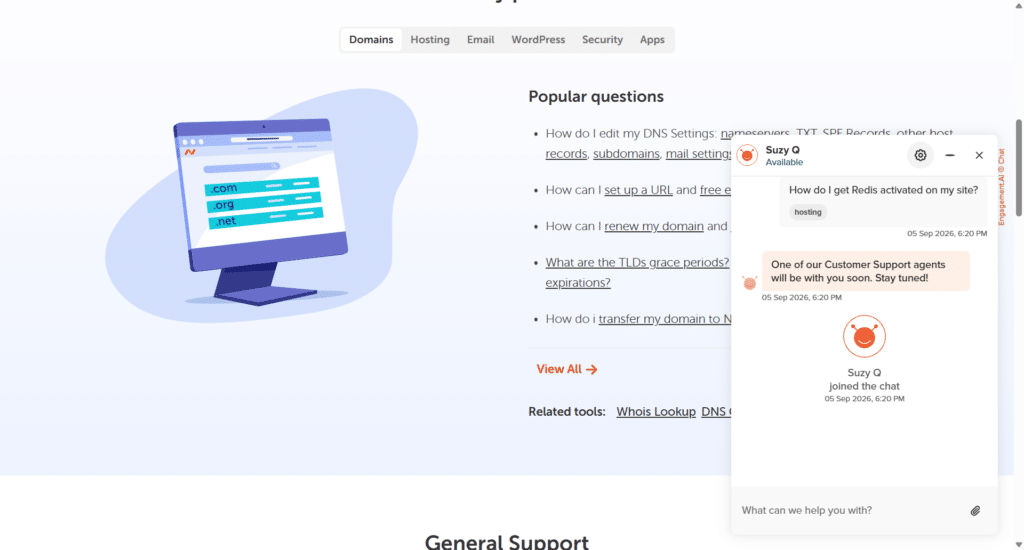
Where I’d like to see the system improve is the escalation process. It often takes two or three human escalations before my issue lands with the right department.
I’m hoping for a system where AI support routes unresolved issues directly to the appropriate department instead of looping in whichever agent happens to be available, who may or may not be equipped to handle it.
Outside of that, Namecheap’s support has been excellent.
Pricing
Namecheap’s shared hosting comes in three tiers, all billed at a discounted introductory rate that renews higher after your first term:
All three include a free domain for the first year, unmetered bandwidth, Imunify360 security, free automatic SSL installation, and free website migration.
If backups and self-service restores matter to you (and for a business or client site, they should), Stellar Plus is the realistic starting point, not base Stellar.
Namecheap Pros and Cons
Pros
Cons
FAQs
Final Verdict
Namecheap’s Stellar hosting is a solid, budget-friendly choice for a blog or small business site, especially if you’re comfortable with cPanel and don’t need enterprise-grade backup guarantees.
The support quality and the Sitejet AI builder are genuine strengths that hold up against pricier competitors.
Where it falls short is the SSL setup (plan for a recurring cost or a manual Let’s Encrypt install past year one) and backups on the base Stellar plan, which aren’t something you can restore yourself.
If your site handles anything business-critical, or you just want peace of mind, Stellar Plus is worth the small jump up, since that’s where AutoBackup’s self-service restoration is possible.
If performance under load matters more than backups alone, Stellar Business adds the