
I get this question all the time, mostly from beginner bloggers: What exactly is a self-hosted WordPress site? And how is it different from WordPress.com sites?
A self-hosted WordPress site gives you full control over your design, your content, your data, and how you make money from your site.
You can choose any theme or plugin, connect your site to third-party tools and services, or even turn your site into an online store with WooCommerce.
You’re not boxed into someone else’s rules.
Of course, that freedom comes with some responsibility.
You’ll be the one managing updates, backups, and security. But don’t let that scare you off; hosting companies today make it simple to install WordPress and keep it running smoothly.
With a bit of setup and basic maintenance, you can have a professional website that’s yours in every sense of the word.
In this guide, I’ll walk you through what self-hosted WordPress really means, how it compares to WordPress.com, what it costs, and why it might be the right choice for you.
So, let’s dive in.
What Is a Self-Hosted WordPress Site?
When we say “self-hosted WordPress,” we’re talking about the WordPress.org software. This is the open-source version of WordPress that you install on a web hosting account of your choice.
The software itself is free; you don’t pay WordPress.org a dime. What you do pay for are the pieces that make your site live on the internet, such as a domain name and hosting.

The term “self-hosted” might sound technical, but it simply means you’re in charge of where your website lives.
Instead of renting a space on WordPress.com’s servers, you pick a hosting company, like Namecheap, HostGator, Hostinger, or Cloudways, and that becomes your site’s home.
You get a control panel, usually cPanel or a custom dashboard, where you can install WordPress with one click. Within minutes, you have the same software that powers 43.6% of global websites and 60% of the CMS based sites, from personal blogs to major news outlets.
The real advantage of self-hosted WordPress is freedom. You can install any theme or plugin you want, tweak your site’s code, and connect it with outside services.
Let’s say you want to add an online store; plugins like WooCommerce or Easy Digital Downloads make that possible.
Want to improve your SEO? Tools like AIOSEO or Rank Math integrate seamlessly.
On a hosted platform like WordPress.com, you’re often limited to what the platform allows. With self-hosting, the only limits are your budget and your technical comfort level.
But this freedom also makes you responsible for more things. You’ll need to handle updates as WordPress releases new versions, keep your plugins and themes up to date, and ensure your site is secure.
If something breaks, there isn’t a WordPress.com support team to fix it; you or your host will have to troubleshoot.
As a beginner, you may find this intimidating, but hosting providers have improved a lot. Many hosts offer automatic updates, backups, SSL certificates, and malware scans to make your job easier.
So, when you hear “self-hosted WordPress,” think of it as WordPress software running on your own platform.
It’s like owning your own house instead of renting an apartment: you decide the design, the upgrades, and even the neighborhood (your hosting provider). But you also mow the lawn, fix the plumbing, and keep the doors locked.
How It Compares: Self-Hosted vs Hosted (WordPress.com)
One of the biggest sources of confusion for beginners is the difference between WordPress.org (self-hosted) and WordPress.com (hosted).
They share the same name, and both use WordPress, but the experience of running a site on each platform is very different.
With a self-hosted WordPress.org site, you’re in charge. You pick your hosting company, buy your own domain, and install WordPress on your account.
From there, you can do anything: install any plugin or theme, edit your site’s code, run ads, build an online store, or move your site to another host if you’re not happy.
No one sets limits on what features you can use or how you can monetize your site.
WordPress.com works more like a managed service.

It handles hosting, updates, and security for you, which sounds convenient. But the trade-off is control.
For example, developer tools such as staging, SFTP, SSH, WP-CLI, and Git commands are not available. You get these features on the Business and Commerce plan.
You’re essentially working within the boundaries WordPress.com sets.
In contrast, most self-hosted WordPress hosting plans give you access to these features without restrictions.
Here’s a simple way to think about it: a WordPress.com site is like renting a furnished apartment. The landlord takes care of maintenance, but you can’t knock down walls or bring in your own furniture without permission.
A self-hosted WordPress site is like owning your own home. You decide the design, the layout, and what goes inside, but you’re also the one who calls the plumber when something goes wrong.
From my experience, if you just want a place to learn blogging or a hobby site, you’ll often find WordPress.com easier because you don’t have to think about hosting or updates.
But if you’re serious about building a business, monetizing your blog, or having complete control over your content, self-hosting through WordPress.org is the smarter choice.
It might require a bit more responsibility and financial investment, but the long-term flexibility and ownership are worth it.
What It Costs: Time and Money
One of the biggest questions people ask about self-hosted WordPress is how much it costs. The WordPress software itself is free, but running a self-hosted site isn’t.
You’ll need at least two things: a domain name and web hosting.
A domain name is your website’s address, like myblog.com.
Most domains cost around $10-$15 per year. Though premium names can cost much more, you don’t need that at this stage.
Hosting is where your site’s files live, and this is where the main expense comes in.
Shared hosting can start as low as $3 – $7 per month, while managed WordPress hosting can run anywhere from $20 to several hundred dollars per month, depending on your site’s size and needs.
If you’re just starting out, shared hosting from a reliable provider is usually enough. As your traffic grows, you can upgrade to VPS or cloud hosting.
Beyond hosting and domains, there are optional costs such as plugins, themes, services and tools.
Many WordPress themes are free, but premium themes often cost $50-$150 and can give your site a more professional look.
The same goes for plugins. While the free versions often do the job, premium plugins for SEO, backups, or advanced forms might cost $30-$100 per year.
Some site owners spend very little by sticking with free tools, while others invest heavily in premium options for convenience and added features.
Then there’s the time cost. With WordPress.com, updates and backups happen in the background. On a self-hosted site, you’ll need to handle these tasks.
Most of the time, it’s as simple as clicking an “Update” button or setting up automatic backups and updates through your hosting account or a plugin.
But if something breaks after an update, you’ll need to troubleshoot. That can be frustrating if you’re new to WordPress, but it’s also how you gain more control, experience, and knowledge about WordPress.
It’s worth mentioning that many hosting providers bundle helpful tools to make this easier.
Some include free SSL certificates for site security, free email addresses tied to your domain, daily backups, and even one-click staging environments to test changes safely.
Choosing the right host can save you both time and money in the long run.
So when you think about cost, it’s not just about dollars, it’s about how much time you’re willing to put into running your site.
If you’re okay with some extra responsibility, self-hosted WordPress gives you far more value for your money compared to the restrictions of WordPress.com.
Getting Started with Self-Hosted WordPress
If you’ve decided that self-hosted WordPress sounds right for you, the next step is building your blog. The good news is that it’s a lot easier than most beginners imagine.
Hosting companies know that WordPress is the most popular website platform, so they’ve built tools that make the setup process simple, even if you’ve never touched a website before.
Domain Name
The first thing you’ll need is a domain name. This is your website’s address, like yourname.com or yourbusiness.net.
You can register a domain through an ICANN domain name registrar like Namecheap, or even directly through your hosting provider such as Hostinger and HostGator.
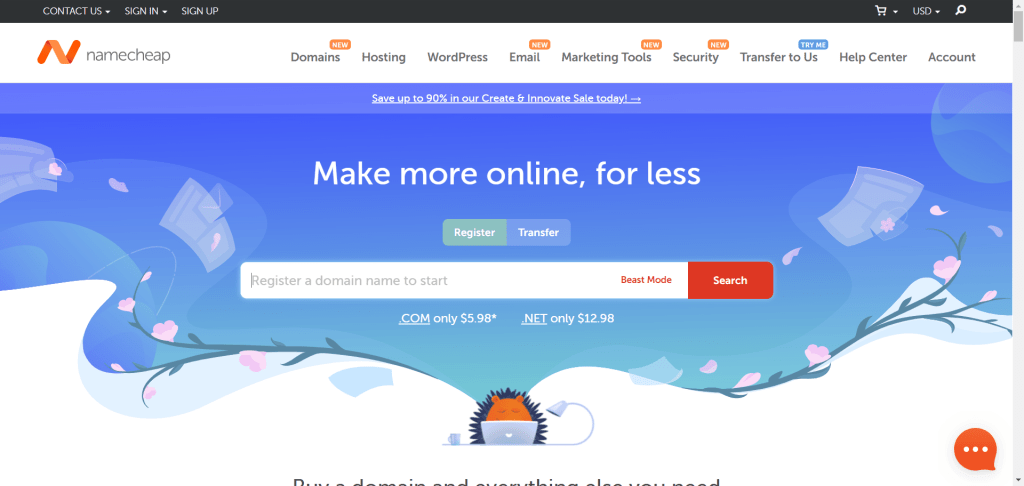
Unless you’re interested in premium domain names, most registrars charge between $5 and $15 per year. Namecheap often runs promotions that offer up to 90% off selected extensions.
I keep the Namecheap promo offer updated if you’re interested in buying your domain name now.
Once you own a domain, it becomes the front door to your site.
Hosting
Next, you’ll need to choose a hosting provider. For beginners, shared hosting plans from web hosts, such as HostGator, Namecheap, or Hostinger, are popular because they’re affordable and beginner-friendly.

If you want fewer technical headaches and better performance, managed WordPress hosts like Pressable or Kinsta are worth considering, though they cost more.
But you’ll spend less time configuring and managing your server and more time improving your business.
Once you sign up for a hosting plan, most hosts give you a control panel where you can install WordPress with one click. In just a few minutes, you’ll have a fresh WordPress site ready to go.
You don’t need to visit WordPress.org to download the software; it’s already available in your hosting control panel through apps like Softaculous or a custom installer.
After installation, you’ll log in to your WordPress admin dashboard. This is where you’ll spend most of your time.
From here, you can choose a theme to control your site’s design. WordPress has thousands of free themes in its directory, and premium theme shops like Themeisle, Astra, or GeneratePress offer more advanced features.
You can customize colors, layouts, and fonts to match your brand or personal style.
Plugins
Plugins are the next step. Plugins add features to your site, everything from SEO tools like Rank Math or Yoast SEO to contact forms with WPForms or Ninja Forms.
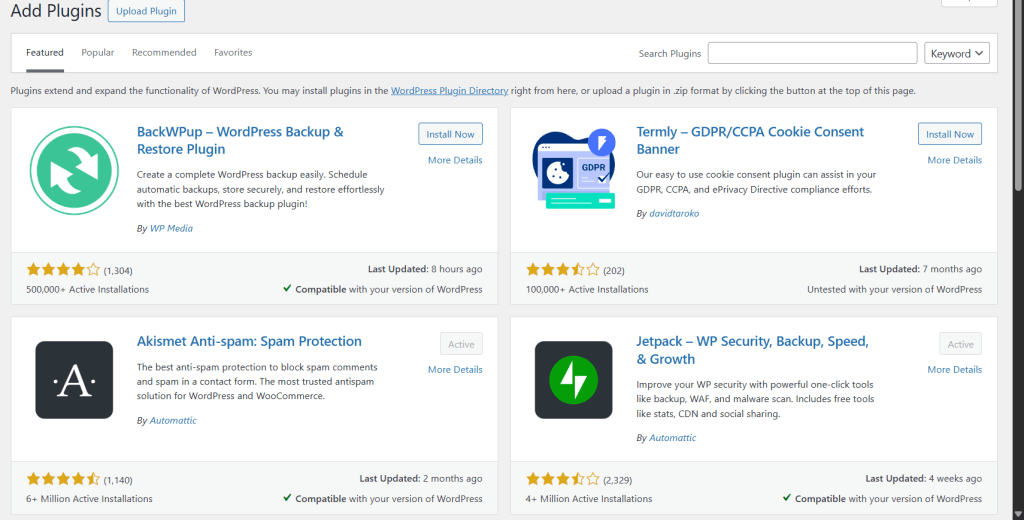
If you plan to run an online store, WooCommerce is the go-to plugin. The ability to install any plugin is one of the main reasons people choose self-hosted WordPress.
You can add custom functionality to your site.
For instance, you can add a plugin that places a floating CTA button/banner on your site and even customize its appearance, position, behavior, etc.
Whatever functions you want to integrate into your site, there’s a plugin for it.
And with AI now making coding doable for everyone, you can build custom plugins that work exactly the way you want.
Security
A backup solution (many hosts include this in your plan, but plugins like UpdraftPlus give you extra control).
Security measures are another essential you must implement. Plugins like Wordfence or iThemes Security are popular. But most web hosts now offer built-in security features that free you from the responsibility.
If your host offers a free SSL certificate, malware scan, Web Application Firewall (WAF), built-in CDN or integrates directly with Cloudflare, you actually don’t need to bother much about adding more security tools. Unless you have a specific reason, these are sufficient for most sites.
Getting started with self-hosted WordPress may feel like a lot of steps at first, but each part builds on the others.
Within a couple of hours, you can go from a blank domain name to a live, functional website that’s completely under your control.
And because WordPress is so widely used, there are tutorials, forums, and communities to help you every step of the way.
Also, with platforms like ZipWP and StellarSites, you can build a functional WordPress site in less than 5 minutes on a weekend.
These tools make creating a WordPress site effortless.
Why Choose Self-Hosting? Real-World Benefits
If you’re weighing whether self-hosted WordPress is worth it, the answer often comes down to how much freedom and ownership you want over your site.
The biggest benefit is control. When you self-host, you own everything: your content, your files, and your database.
No one can suspend your site because of a policy change, and you’re not locked into one company’s platform.
If you decide to move hosts, you can take your entire site with you, and nothing gets left behind. That kind of independence matters a lot if your website is tied to your income or your brand.
Another major benefit is flexibility. Self-hosted WordPress is like a toolbox that never runs out of tools.
You can start with a simple blog, then later add an online store, a membership area, or a portfolio section. Plugins and themes make this possible.
For example, if you’re running a photography business, you can use gallery plugins to showcase your work. If you’re selling products, WooCommerce turns your site into a full eCommerce store.
On WordPress.com, these options are either limited or hidden behind the Business or the Commerce plans. With self-hosting, you set the rules.
Monetization is also a big factor. Many beginners don’t realize that platforms like WordPress.com restrict how you can make money.
On its free and personal hosting plans, you can’t run your own ads, join ad networks like Google AdSense, use affiliate marketing freely, or even use WordPress.com’s own ad program, Word Ad.
With self-hosted WordPress, you can do all of that without restrictions, no matter the hosting plan you subscribe to.
I’ve worked with business owners who rely on affiliate programs, display ads, and sponsored posts to generate income, and all of that requires the kind of flexibility self-hosting provides.
Performance and SEO control are benefits you shouldn’t overlook either.
On self-hosted WordPress, you can optimize your site however you want. You can choose a fast optimized theme like Astra, Kadence, or GeneratePress, use a caching plugin like WP Rocket, connect to a CDN, and fine-tune your SEO settings with tools like Rank Math.
Those choices directly affect how fast your site loads and how well it ranks in search engines. On WordPress.com, you’re limited to what the platform allows, which can hold you back if you’re serious about growth.
Except for the Business and Commerce plan, you can’t install plugins and themes on your site. This is a serious limitation considering the work that goes into growing a blog.
For me, the biggest real-world benefit of a self-hosted site is peace of mind. I know my site is mine, and I don’t have to worry about unexpected restrictions.
Yes, it takes a little effort to manage updates, performance, security, and backups, but that’s a small price to pay for complete control.
If you plan to grow your site into something more than a personal hobby, self-hosting isn’t just a good option; it’s the smarter long-term investment.
Downsides – or At Least What You’ll Be Handling Yourself
As much as I recommend self-hosted WordPress, it’s not perfect. The freedom it gives you comes with responsibilities, and if you’re not prepared for them, it can feel overwhelming at first.
The most obvious challenge is maintenance. WordPress, its themes, and its plugins are updated regularly.
These updates fix bugs, patch security issues, and add new features. On a self-hosted site, you’re the one who has to keep everything up to date.
Most of the time, this is as easy as clicking an “Update” button or setting up automatic updates in your dashboard, but every now and then, an update might cause a conflict that breaks something on your site.
When that happens, you’ll need to troubleshoot, roll back a change, or contact your hosting support team for help.
Security is another area you can’t ignore. Because WordPress is so popular, it’s also a common target for hackers.
If you’re on WordPress.com, their team handles security for you. With self-hosting, you’ll need to take some precautions: install an SSL certificate (usually free through your host), use strong passwords, and run security plugins.
Many hosts also include malware scans and firewalls, but you’re still responsible for making sure your site is protected.
Backups fall under the same category. If your site ever crashes, gets hacked, or you make a mistake that wipes out your content, a backup is the only way to restore it.
Most managed hosting providers, such as Pressable, Cloudways, and WP Engine, offer automatic daily backups, so you don’t have to worry about losing your files or content.
If you’re on a shared host where backups aren’t handled automatically, you’ll need a backup plugin like UpdraftPlus or BackupBuddy, or configure backups through your host’s control panel.
Either way, it’s another item on your checklist.
There’s also a learning curve. If you’ve never built a website before, WordPress can feel intimidating at first. You’ll need to learn how to install themes, configure plugins, work with Gutenberg block editors, and manage your site’s settings.
The dashboard is beginner-friendly compared to coding from scratch, but it still requires some effort to become comfortable with it.
On WordPress.com, many of these decisions are already made for you. On self-hosted WordPress, you’re making them yourself.
Lastly, there’s cost. Even though self-hosted WordPress is affordable, it’s not free like WordPress.com’s entry-level plan.
Between hosting, a domain name, and optional premium tools, you’re looking at a recurring expense each year.
For most people, the control and opportunities outweigh the costs, but if you’re just looking for a simple hobby blog, it might feel like more than you need.
So, the downsides aren’t deal-breakers; they’re responsibilities. You’re essentially trading ease of use for independence.
If you’re willing to handle updates, security, and backups (or pay a managed host to do it for you), the benefits of self-hosted WordPress far outweigh the extra work.
Frequently Asked Questions About Self-Hosted WordPress
Is WordPress.org free?
Yes, the WordPress.org software is completely free to download and use. The costs come from hosting, your domain name, and any premium themes or plugins you decide to buy.
Can I move from WordPress.com to a self-hosted WordPress site?
Absolutely, you can start with WordPress.com and later switch to WordPress.org for more freedom. WordPress has built-in export tools that let you move your content, and most hosting providers offer migration services to make the process smoother.
Do I need to know how to code to use self-hosted WordPress?
No, you can run a WordPress site without touching code by using themes, plugins, and the block editor (Gutenberg). That said, knowing some basic HTML and CSS can help you customize your site more deeply, but it’s not a requirement.
How hard is it to maintain a self-hosted WordPress site?
For beginners, it may feel like a lot at first, but most of it is routine. Updates and backups can be automated, and security plugins handle most of the heavy lifting. Hosting providers also make things easier with built-in tools. Once you get the hang of it, managing your site becomes second nature.
Can I make money with a self-hosted WordPress site?
Yes, and that’s one of the biggest advantages. You can run ads, join affiliate programs, sell digital or physical products with WooCommerce, or even offer memberships and online courses. WordPress.com imposes monetization restrictions, but with self-hosting, you have full freedom.
Is self-hosting worth it for beginners?
If you want complete control and plan to grow your site, yes. It may require a bit more responsibility, but the flexibility you get from self-hosting makes it a better long-term choice. If your goal is just a casual blog without plans to expand, WordPress.com might be enough.
Conclusion
If you want complete control of your website, self-hosted WordPress is the clear winner. WordPress.com might look easier at first, but its limits on customization, monetization, and flexibility can hold you back as your site grows.
With self-hosting, you’re in charge. You can pick a reliable hosting provider, install any theme or plugin you like, and customize every part of your site.
Whether you want to run ads, set up an online store, add custom codes, or build a membership site, you’re free to do it without restrictions.
Yes, you’ll need to handle updates, security, and backups, but most hosting providers now automate these tasks. That means you get the freedom of owning your site without the technical headache.
If your goal is to build a professional blog, business site, or online store that can scale and earn money, go with self-hosted WordPress. It gives you the flexibility to grow on your own terms and ensures your website is truly yours.